Your studio
A tour of the dashboard: every tab and button, your profile, signature, collections and residency.
12 min read
The studio at a glance
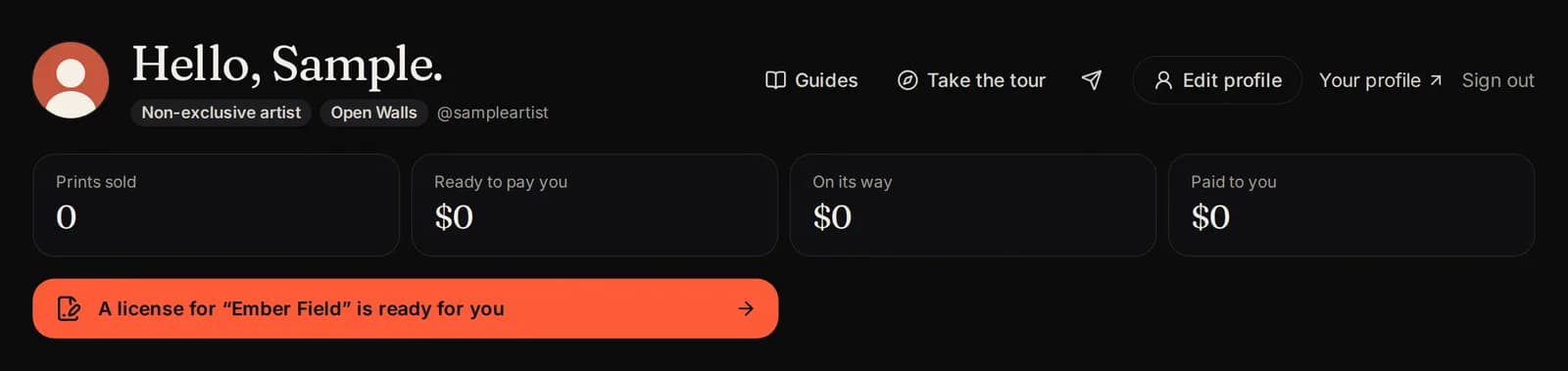
Your studio has four parts, from top to bottom:
- Your name with your badges, and the Edit profile, Guides and Sign out buttons.
- Your numbers: what you have sold and earned.
- Needs you: things waiting for you, like a license to sign.
- The tabs: your works, Open Walls, sales and more.
Your numbers
- Prints sold: every print sold, on both sides (and originals, when you sell one).
- Ready to pay you: money you have earned that we can pay now.
- On its way: money from sales that is not ready yet (for example, the print is still being made or delivered).
- Paid to you: everything we have paid you so far.
You always receive your full price. Our commission and the printing are added on top for the buyer.
Needs you
When something is waiting for you, a colored box appears under your numbers. Tap it to go straight there. For example:
- A license is ready for you: sign it to put that work on sale.
- A listing needs a change: read our note, fix it and send it again.
- Your Resident Artist agreement is ready.
- The Walls sent you a message: read it and reply in Messages.
The tabs
- Works: everything you sell. Start new listings here.
- Open Walls: your Open Walls listings, limits and earnings.
- Sales: every sale and payout.
- Requests: works you sent to The Walls (The Walls artists and Resident Artists).
- Originals: physical originals you sell (Resident Artists we invite to sell them).
- Messages: questions from The Walls about your work, and your answers.
- Profile & signature: your signature, wallets and agreements.
- Collections, Marketplaces and Become a Resident are on the right.
On a phone, swipe the tab bar sideways to see them all.

Works
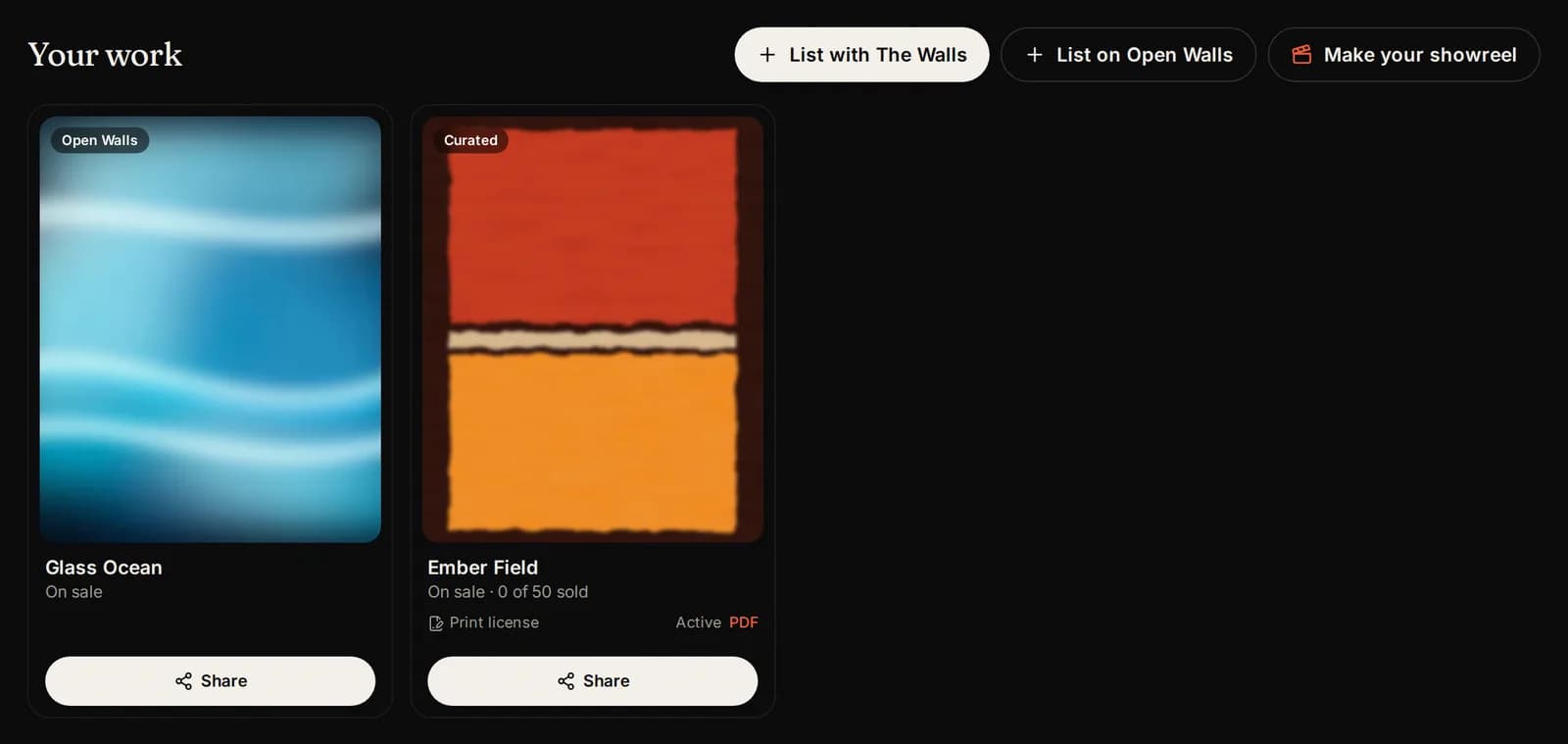
The Works tab shows every work you sell. The buttons at the top start something new:
- List with The Walls: send a work to be curated and licensed (The Walls artists and Resident Artists).
- Sell an original: list a physical original (Resident Artists we invite to sell them).
- List on Open Walls: list your own prints.
- Make your showreel: a short video of several of your works. It opens once you have a work on The Walls (curated), and for every Resident Artist.
Tap any work to open its Share tools: ready made posts, prints and videos for social media. The Share tools guide shows how to make them.
See your works on the store
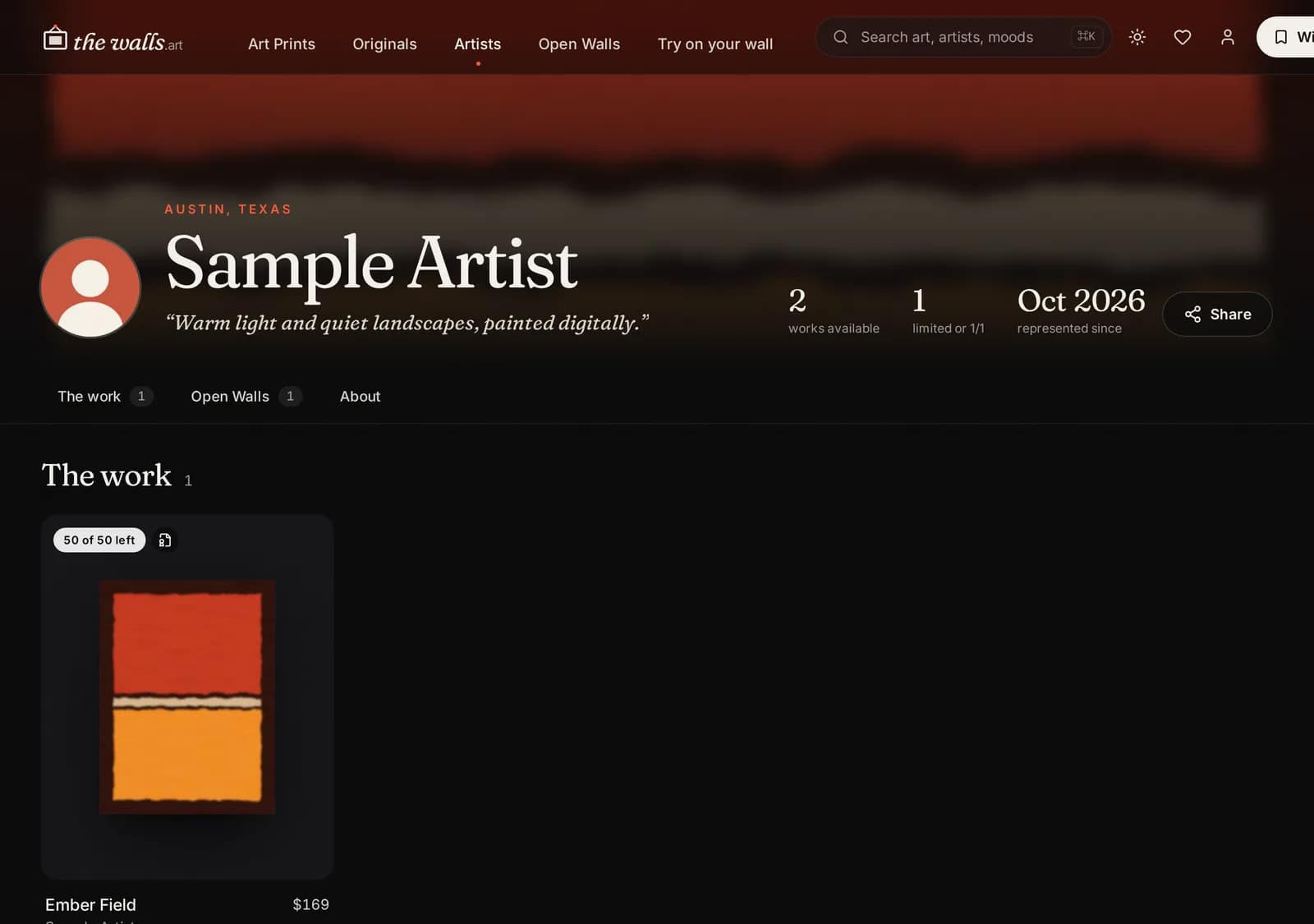
Everyone has a public artist page on The Walls. It shows your works in separate parts: The Walls (curated), Open Walls and Originals.
- Press Your profile at the top of the studio to open your page.
- In the Open Walls tab, each live listing has a View link.
- A curated work shows the Certified mark. Open Walls work says it is listed by the artist.
The Open Walls tab
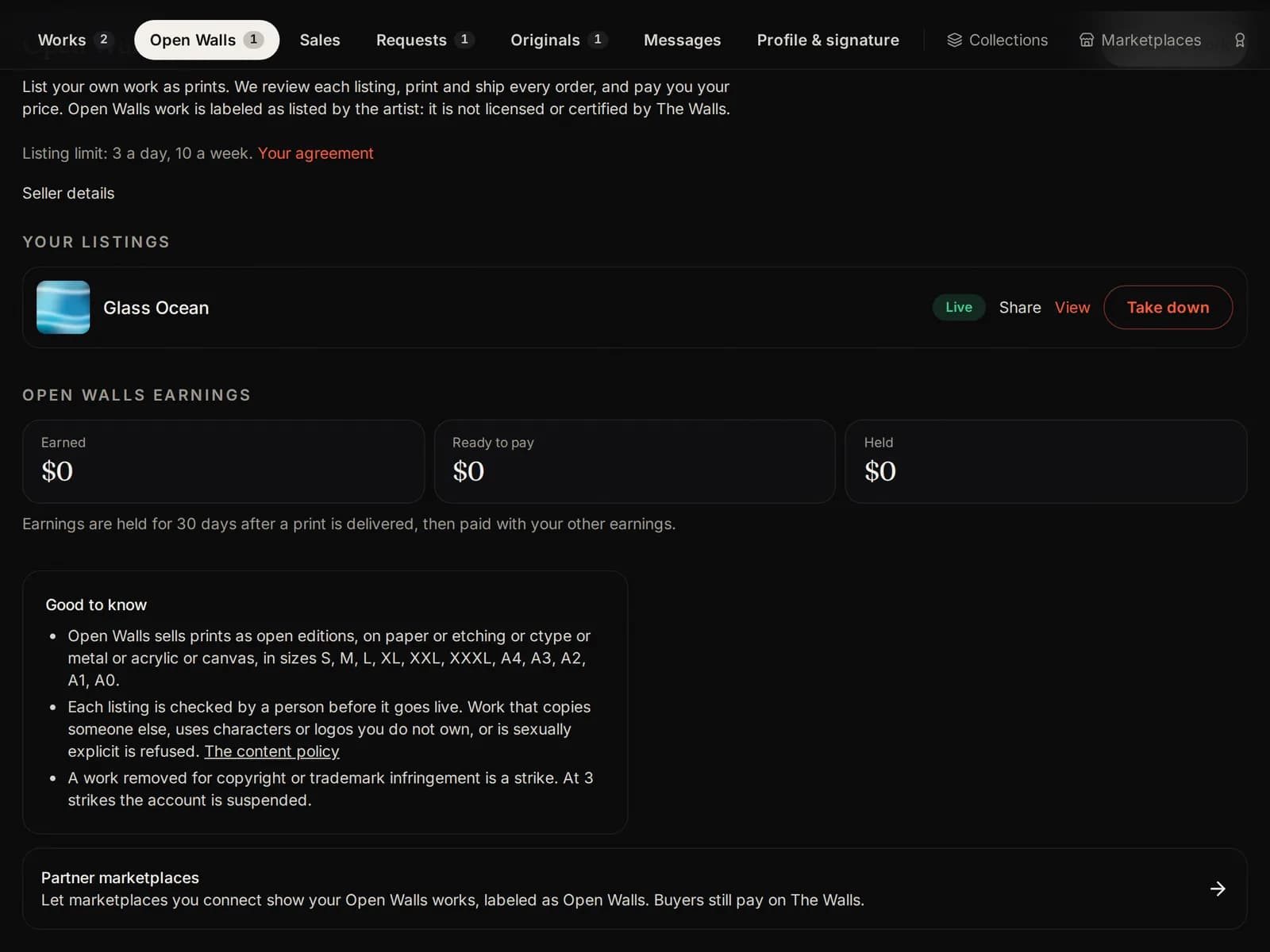
Here you see every Open Walls listing and where it stands: Draft, Submitted, In review, Live, Changes needed or Rejected.
It also shows your listing limits, your Open Walls earnings and when each one can be paid.
Press List a work to start a new listing. The Open Walls guide explains every step.
The Originals tab
Physical originals you sell through The Walls, and where each one stands: draft, in review, on sale or sold. Press Sell an original to add one.
The Originals guide explains every step, from photos to shipping.

Requests
Works you sent to The Walls to be curated. Each one shows where it stands:
- Draft: only you can see it. Finish it and send it.
- With The Walls: we are looking at it.
- Needs a change: open it, read our note and send it again.
- Approved: a license is coming for you to sign. The work then moves to Works.

Sales
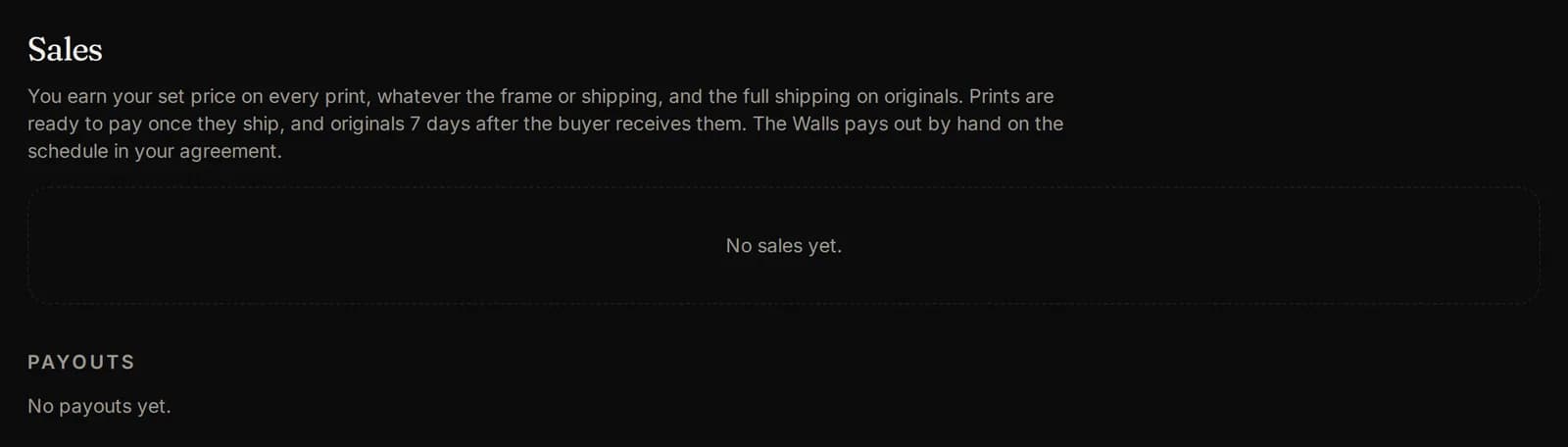
Every sale of your work: the date, the work, the size and what you earned. Below are your Payouts: every payment we sent you.
You never see buyers' names or addresses, except for originals you ship yourself.
Edit your profile
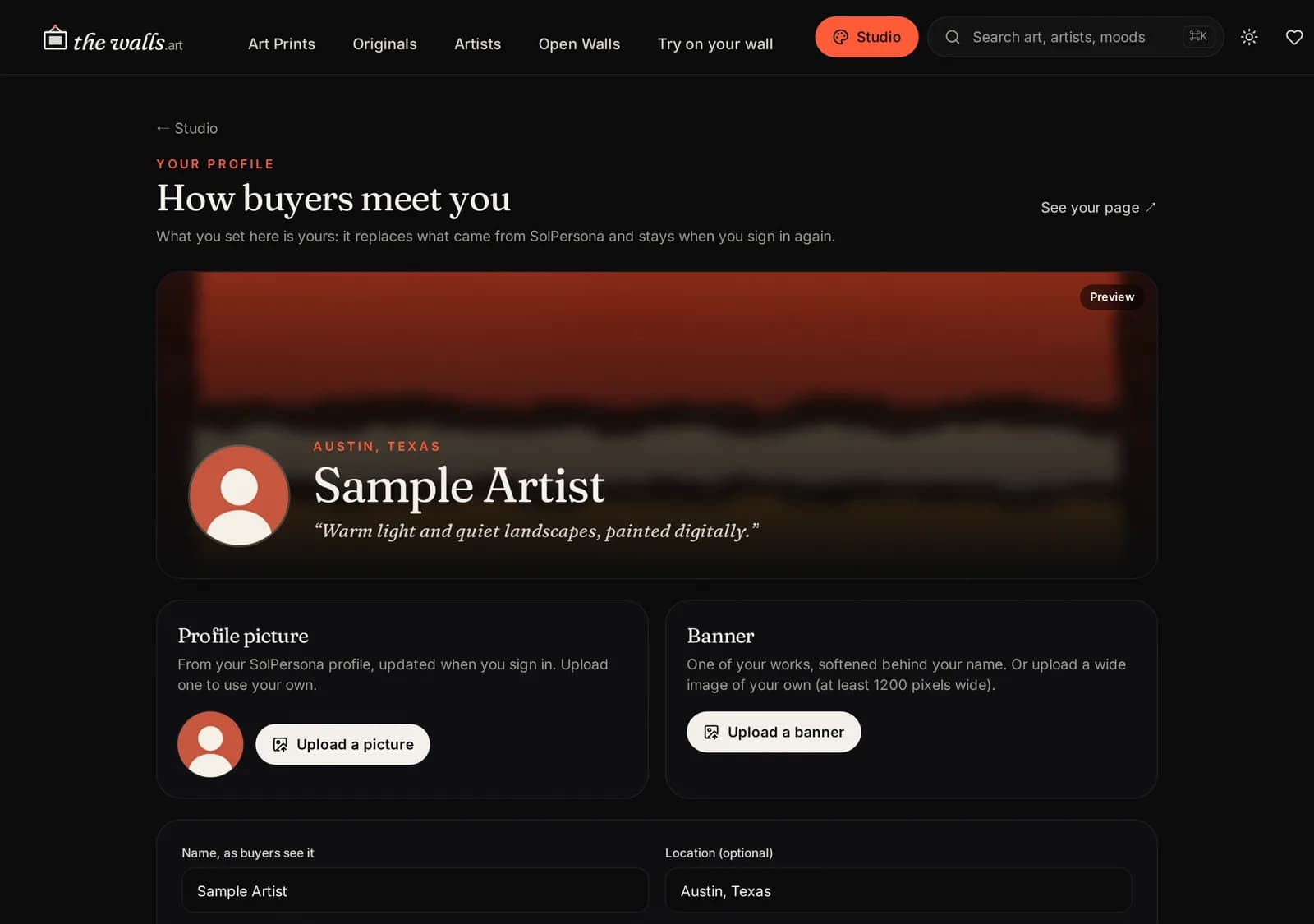
Press Edit profile at the top. You can change:
- Your name as it shows on the store, and your location.
- Your statement (one or two lines) and your bio (your story).
- Your picture. By default it comes from SolPersona; you can upload your own.
- Your banner: the wide picture at the top of your artist page.
Press Save profile when you are done. Changes show on your artist page at once.
Set up your signature
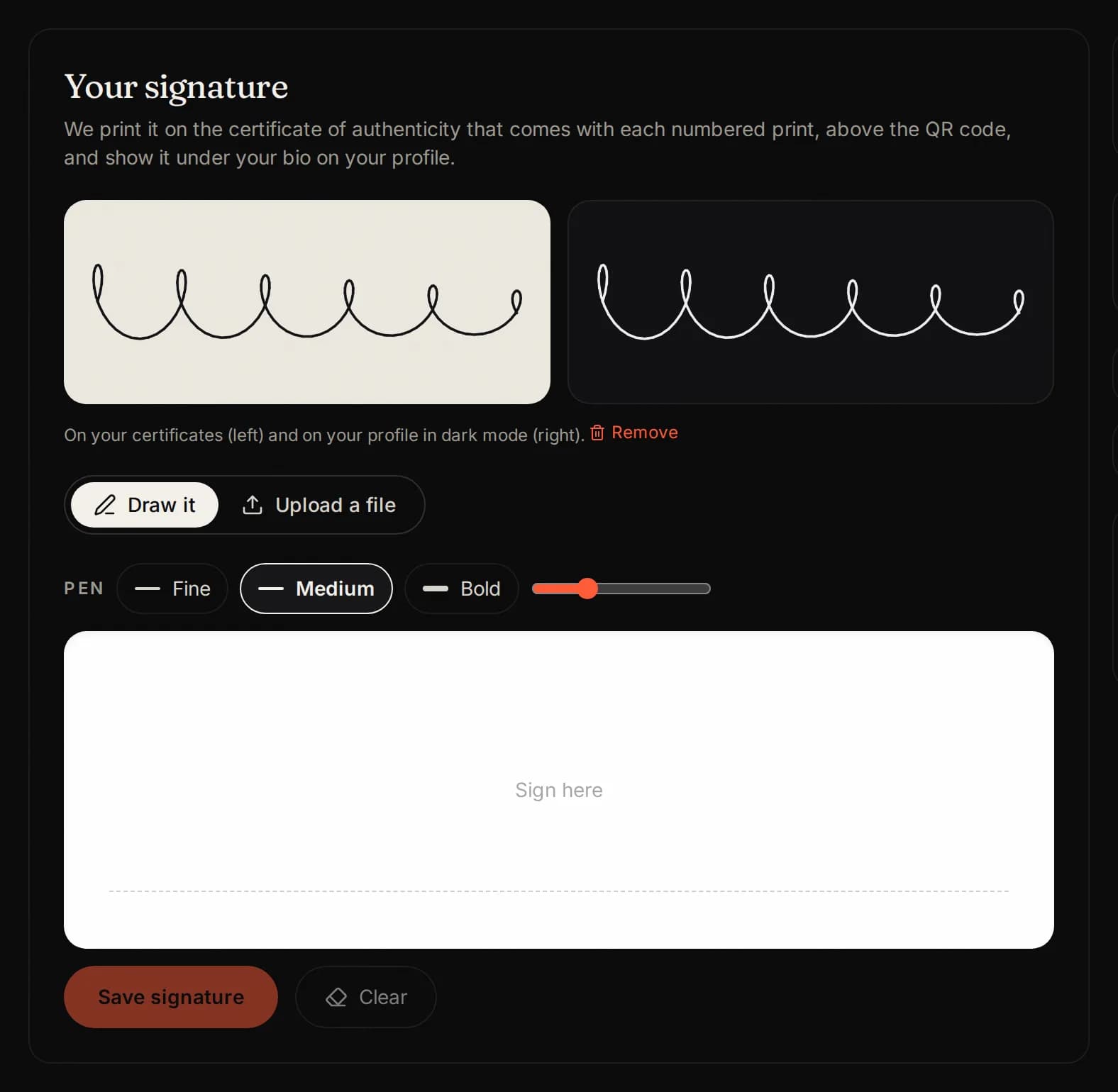
Open the Profile & signature tab. Under Your signature, draw your signature and press Save signature.
We put it on the certificates of authenticity of your curated works, and you can reuse it when you sign by email.
Draw it slowly and large. You can draw it again any time.
Collections
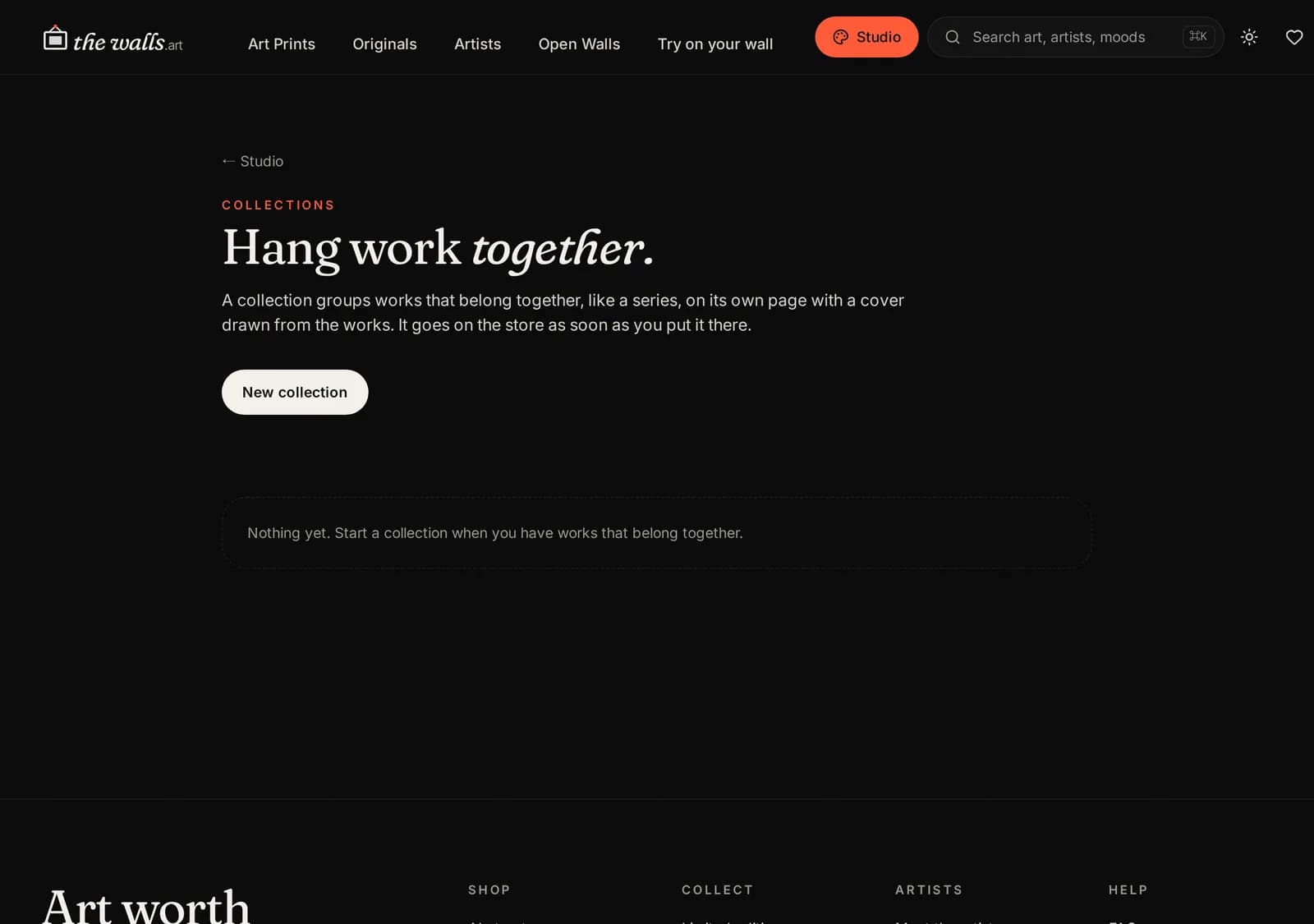
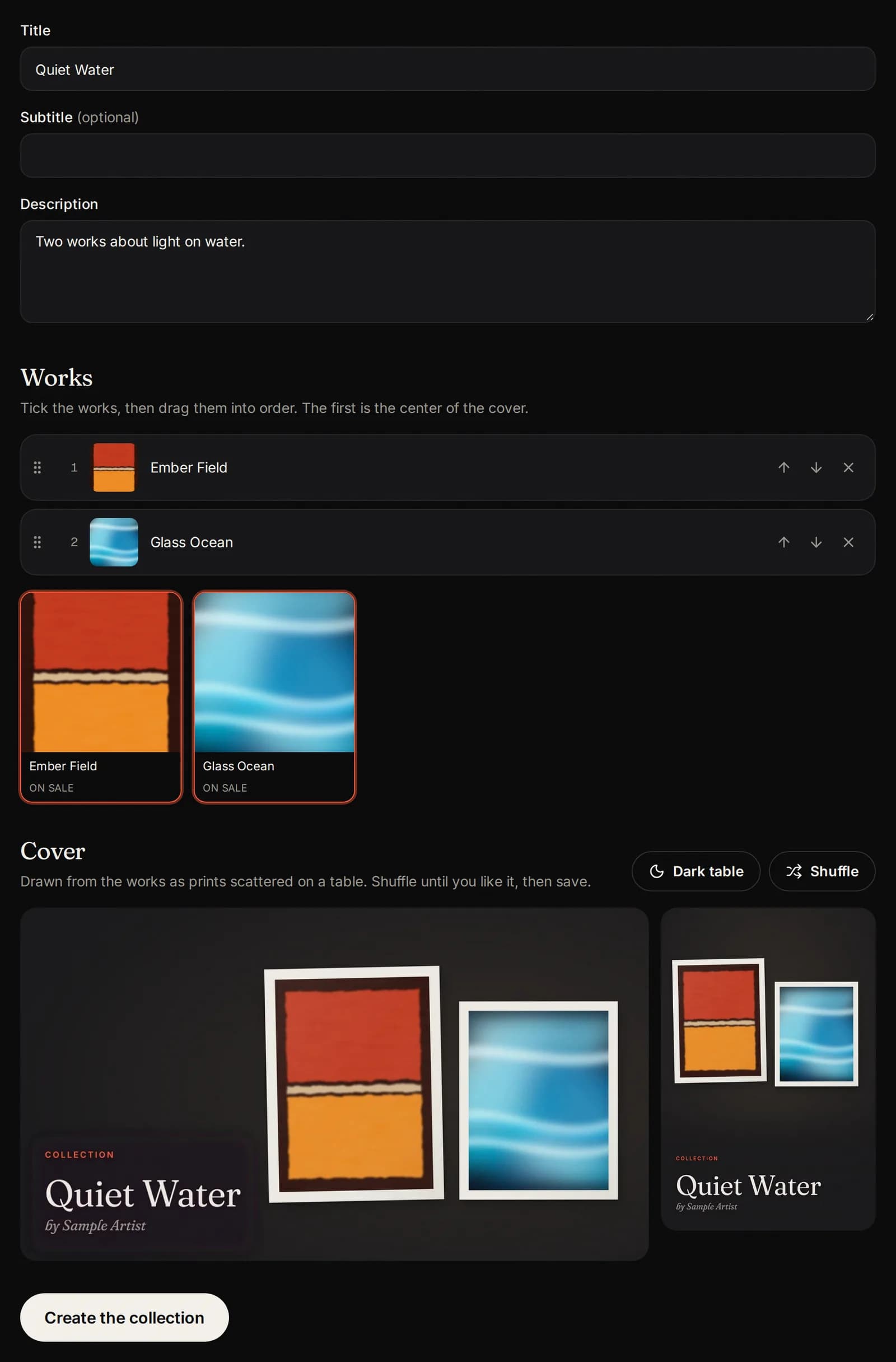
A collection groups works that belong together, like a series. It gets its own page on the store, with a cover made from your works.
Press Collections, then New collection.
A collection holds works from one side only: Open Walls or The Walls. Being in a collection never takes a work off sale.
Make and publish a collection
- Give it a title, a subtitle if you like, and a short description.
- Tick the works to include, then put them in order. The first one is the center of the cover.
- Press Shuffle until you like the cover, then Create the collection (or Save).
- Press Put it on the store to publish it. It goes live at once.
To take it down later, press Archive. The works stay on sale on their own.
Share tools
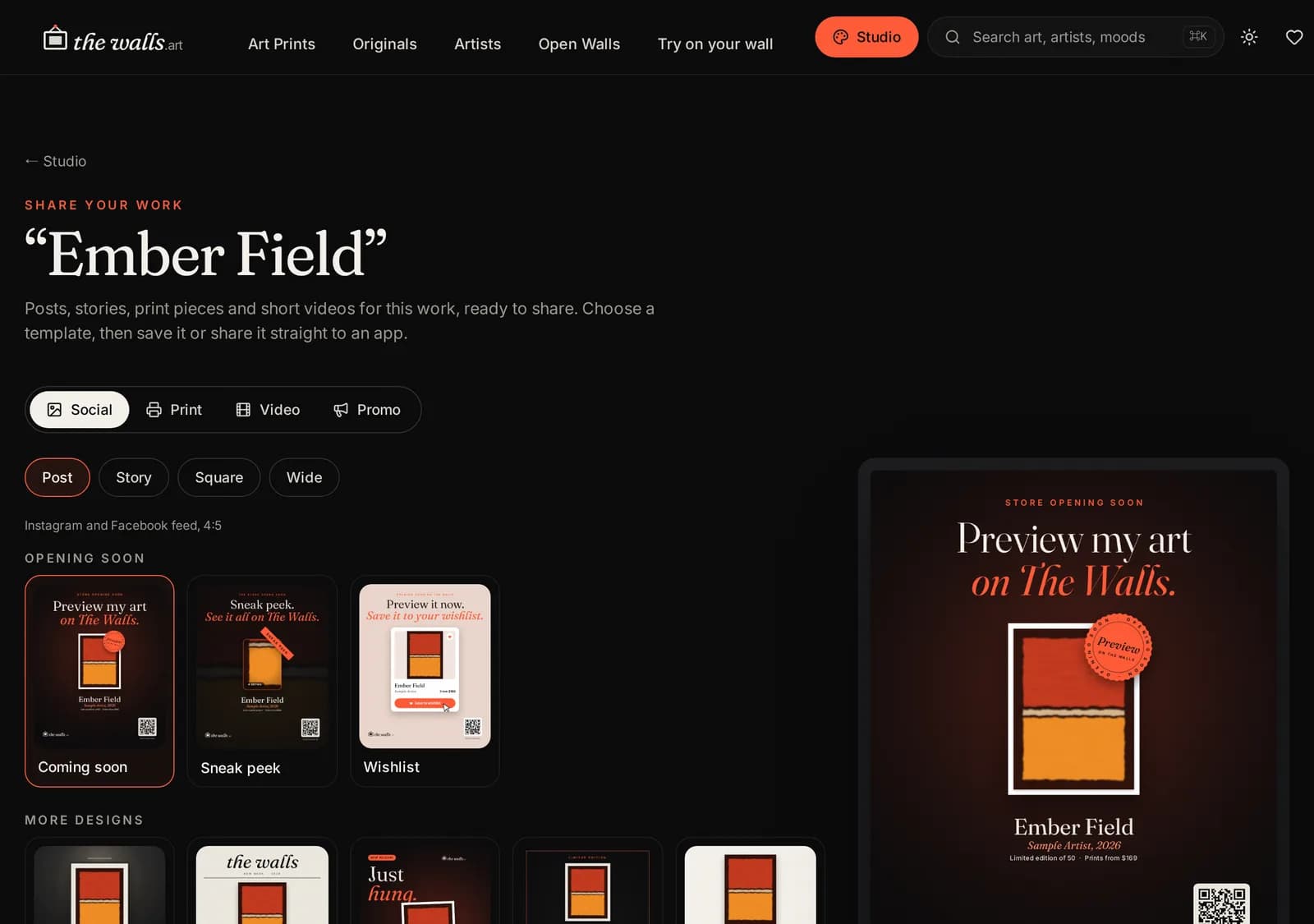
Every work has Share tools: posts, stories, print pieces and videos made from your work, ready to download and share. Tap a work in the Works tab to open them. The Share tools guide shows every step.
Curated works and Resident Artists get every template. Other Open Walls works get a set of them, and see the rest locked.
Become a Resident Artist
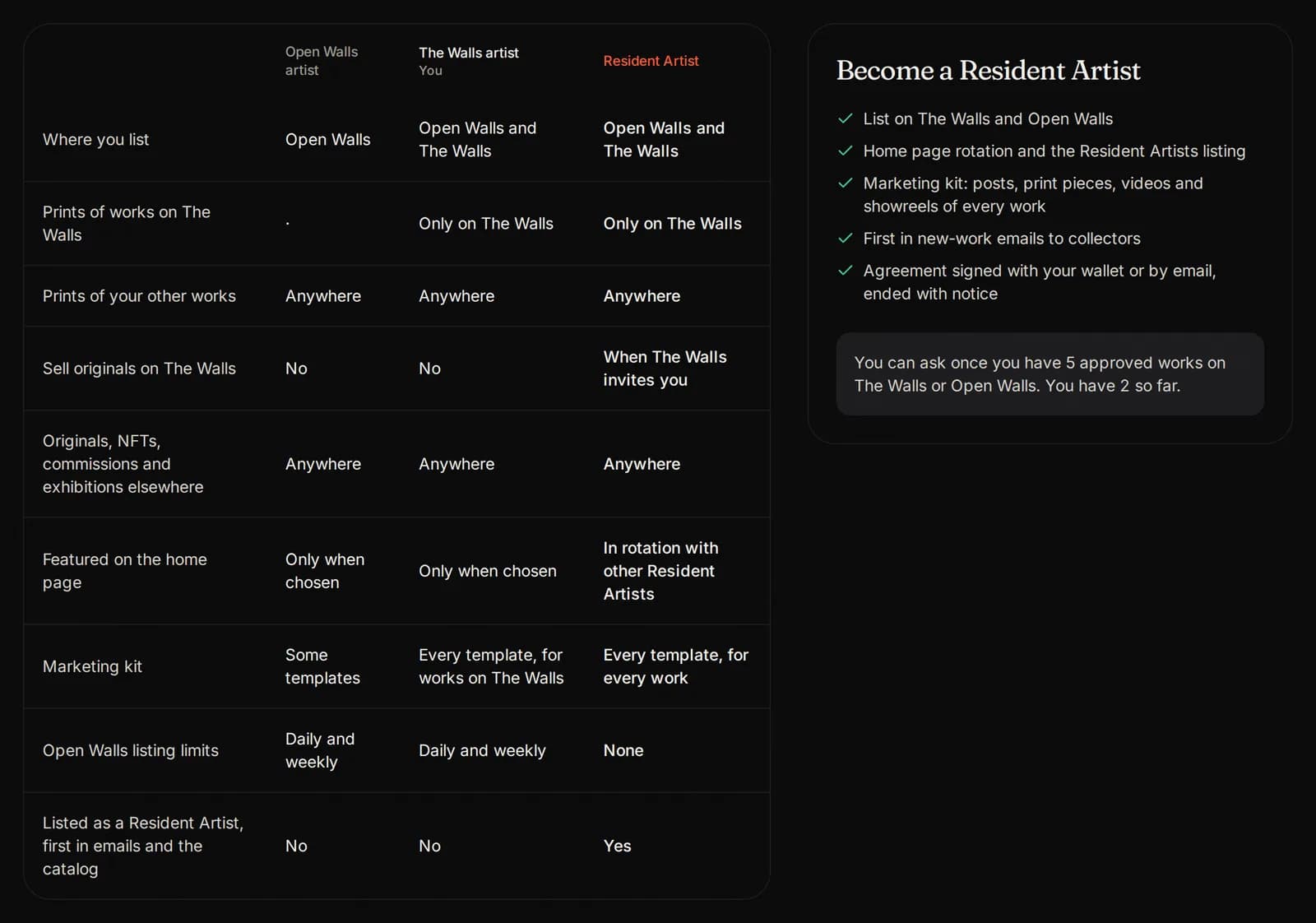
Resident Artists list on The Walls and Open Walls, sell originals when we invite them, and get the most visibility and support. The one condition: a work you list on The Walls is sold as prints only on The Walls. Everything else is yours to sell anywhere, Open Walls included.
You can ask once you have 5 approved works, on The Walls or Open Walls. To ask, press Become a Resident, add a note if you like, and press Ask to become a Resident Artist. We prepare an agreement for you to sign, the same way as your Artist Agreement. If the time is not right, we tell you why in Messages, and you can ask again later.
- Requests to The Walls, and originals when we invite you.
- A place on the home page, in rotation with other Residents, and on the Resident Artists list.
- Every Share tools template: posts, print pieces, videos and showreels.
- First in our new work emails to collectors, and priority in the catalog.
- No Open Walls listing limits.
- A lower commission: 22% instead of 25% on works licensed while resident.
Every artist Resident Artist Where you list Open Walls, and The Walls if we represent you Open Walls and The Walls Prints of works listed on The Walls Only on The Walls Only on The Walls Prints of your other works Anywhere Anywhere Sell originals on The Walls No When we invite you Originals, NFTs, commissions, exhibitions elsewhere Anywhere Anywhere On the home page When chosen In rotation Every Share tools template Curated works Every work Commission on new licenses 25% 22% Open Walls listing limits 3 a day, 10 a week None Your originals, NFTs, commissions and exhibitions elsewhere stay yours. A residency renews on its own, and you can end it with notice.
Help is always close
- Guides at the top of the studio opens these guides, in your language.
- Take the tour shows you around the studio again.
- Listing pages have a Guide button that opens the right guide beside your work.
- Our Telegram group is the fastest way to ask us anything.
Pictures show a sample artist. Your studio shows your own name and work.
Questions? Join our artist group
Our Telegram group is where artists get help from The Walls team and from each other. Ask anything, in any language.