Share tools
Make posts, stories, print pieces and videos of your work, ready to share in a few taps.
8 min read
What the Share tools make
Every work you sell on The Walls comes with free Share tools. They turn your work into ready made pictures and videos for social media, and into print pieces like postcards and posters. Each one has your name, the work's title and a QR code that opens the work on The Walls.
- Social: posts and stories for Instagram, Facebook, TikTok, X and more.
- Print: postcards, flyers, A4 sheets and posters, ready to print.
- Video: short videos with music.
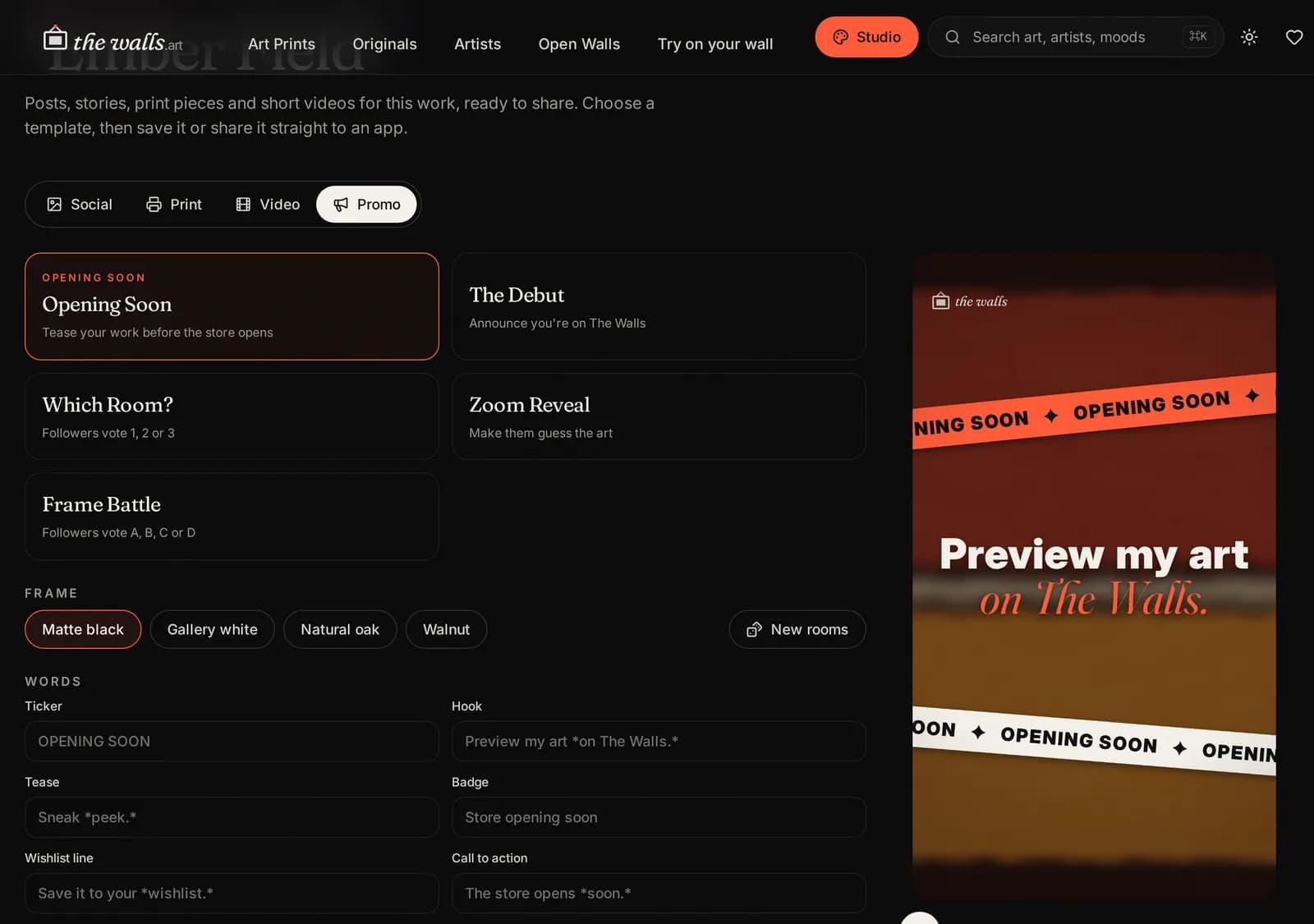
- Promo: four short vertical videos that send people to your page.
Everything is made on your own device, in a few seconds. Nothing is posted for you: you choose where to share it.
Open the Share tools
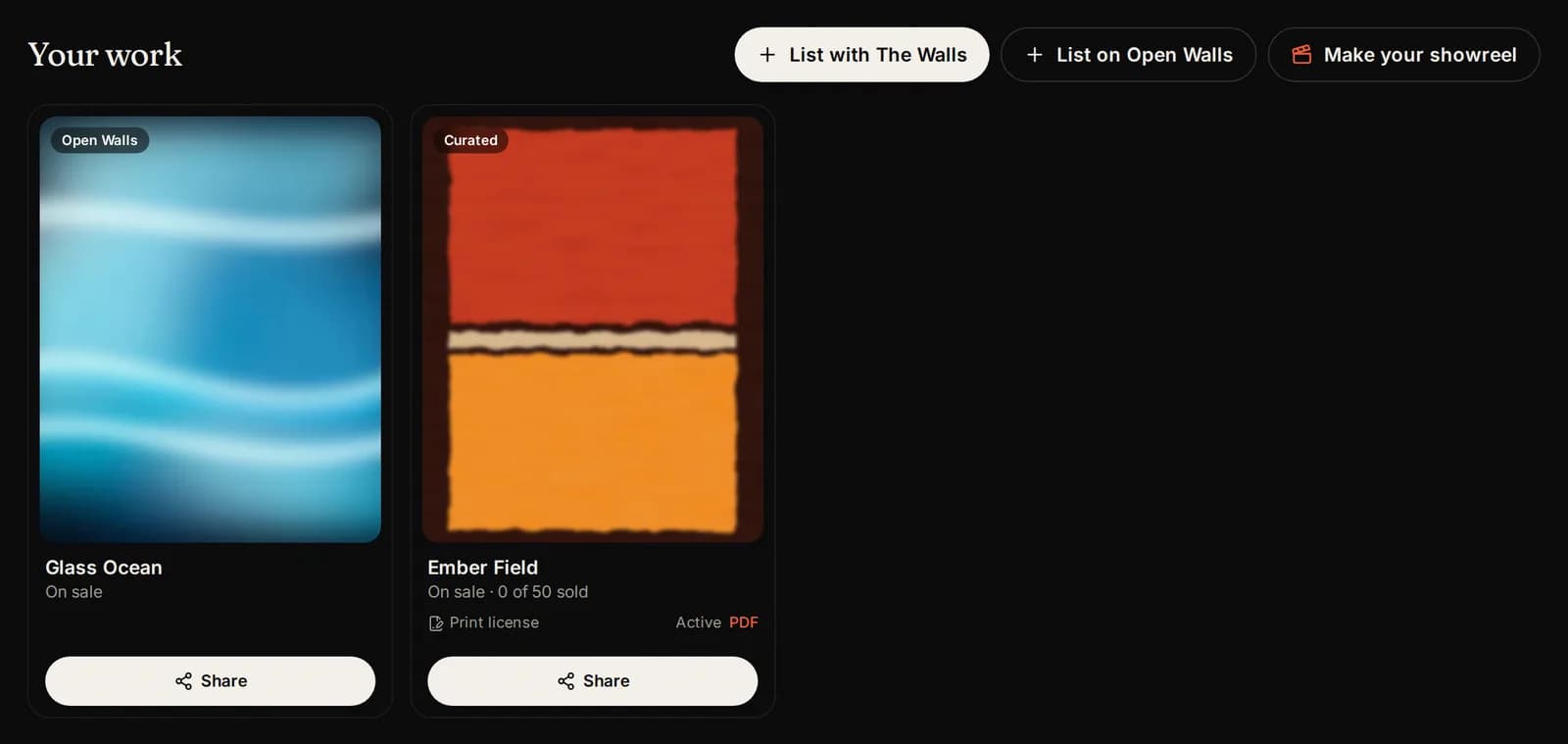
In your studio, open the Works tab. Each work has a Share button under it. Press it (or tap the picture).
Share once the work is on sale: until then, its link and QR code do not open the work yet.
Social posts and stories
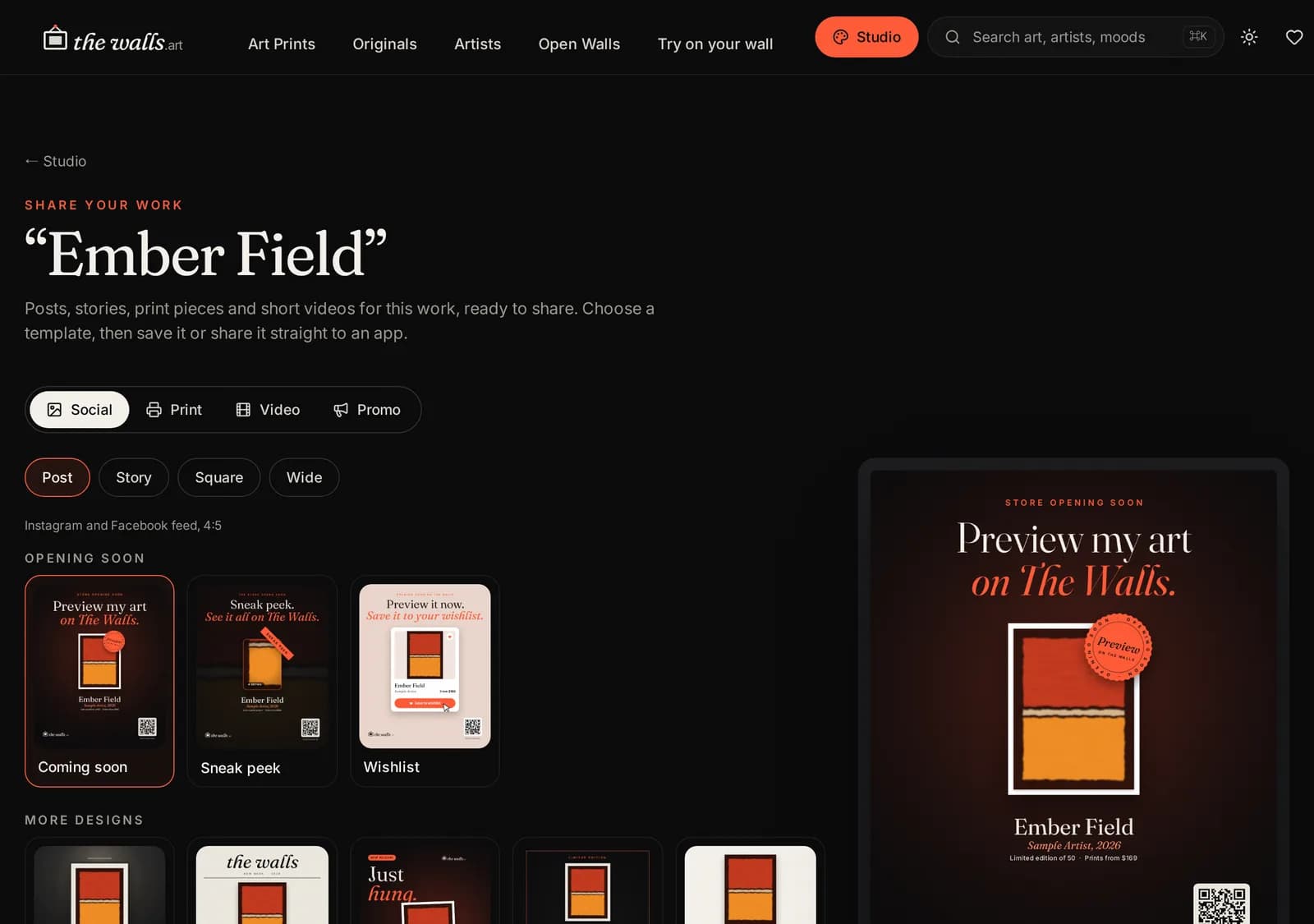
- Press Social at the top.
- Choose a shape: Post (Instagram and Facebook feed), Story (Stories, Reels cover, TikTok), Square or Wide (X, LinkedIn, links).
- Choose a design, like Gallery wall, Editorial or Just hung. The big preview on the right shows how it looks.
- Press Download PNG on a computer, or Save or share on a phone to send it straight to an app.
Your work in a room
The In the room design hangs your work on the wall of a real room from our store. Pick the room, then the print size: the work is hung at its real size, so buyers see how big it is.
Room photos are made for screens. They look best on social media, not printed large.
Print pieces
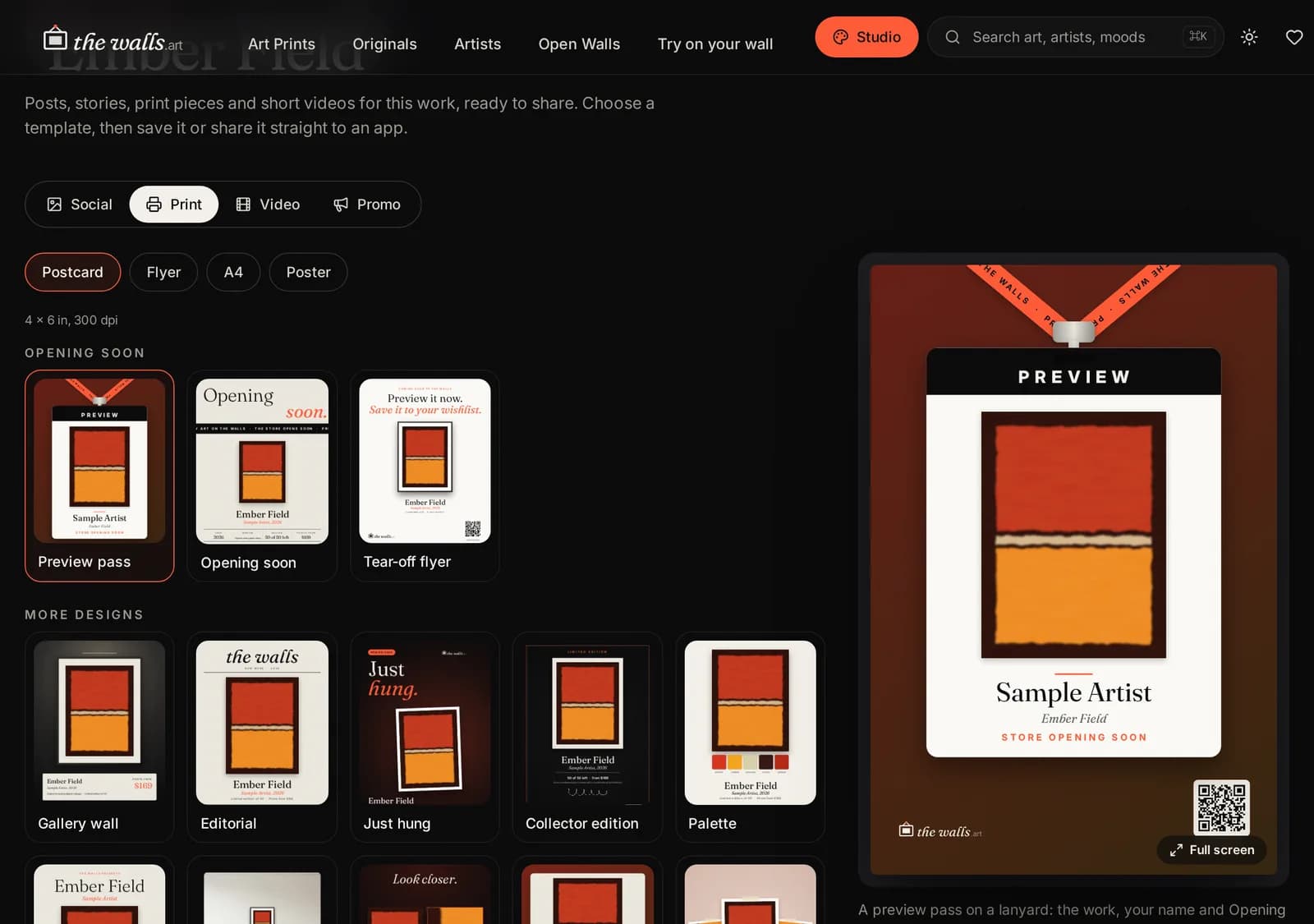
Press Print for pieces you can print and hand out at shows, markets or studio visits: a Postcard (4 x 6 in), a Flyer (US Letter), an A4 sheet and a Poster (18 x 24 in).
Choose a design, then press Print-ready PDF to send it to a print shop, or Download PNG.
The QR code on every piece opens the work on The Walls, so people can buy it from their phone.
Videos
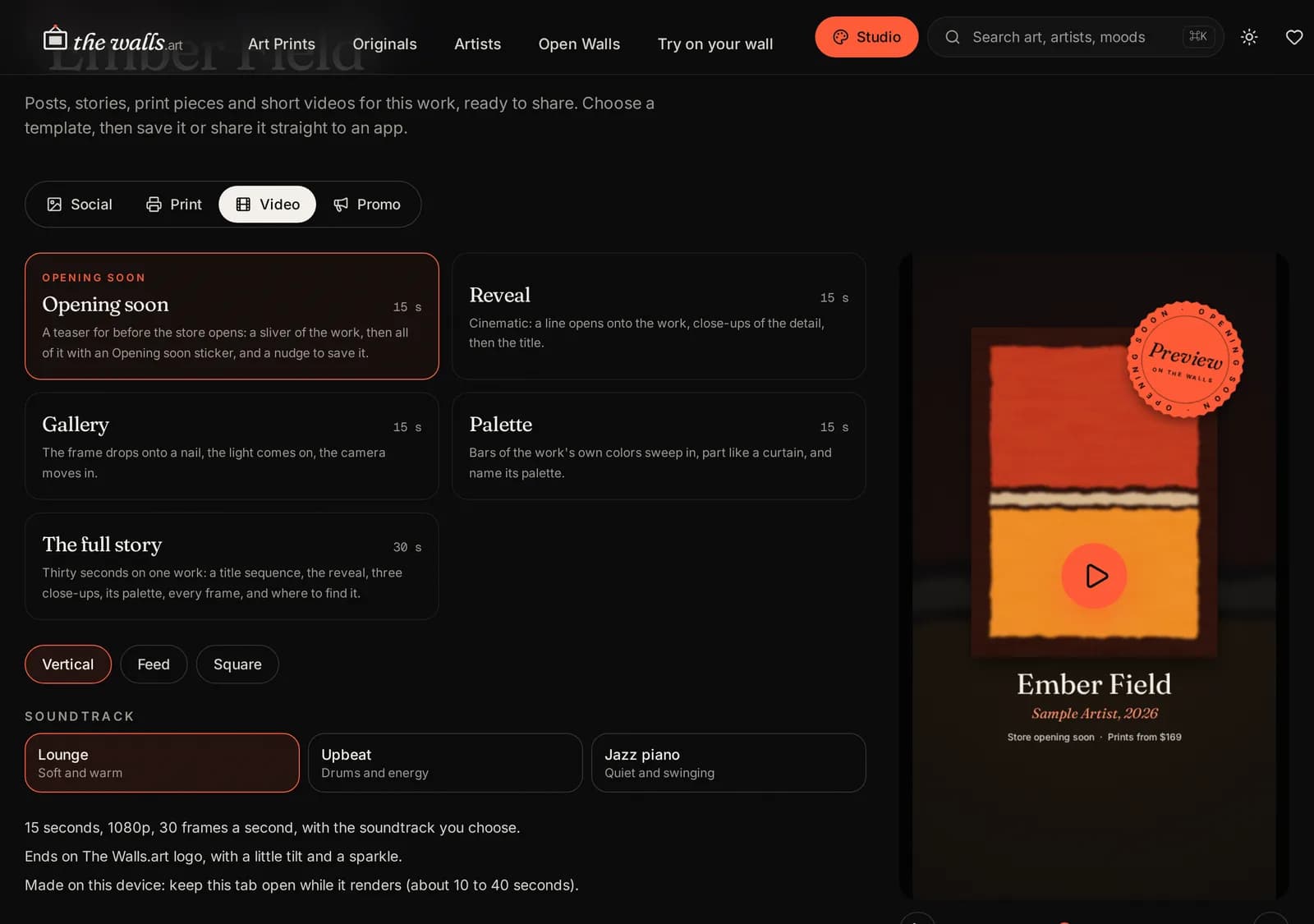
- Press Video.
- Choose a shape: Vertical (Reels, TikTok, Shorts, Stories), Feed or Square.
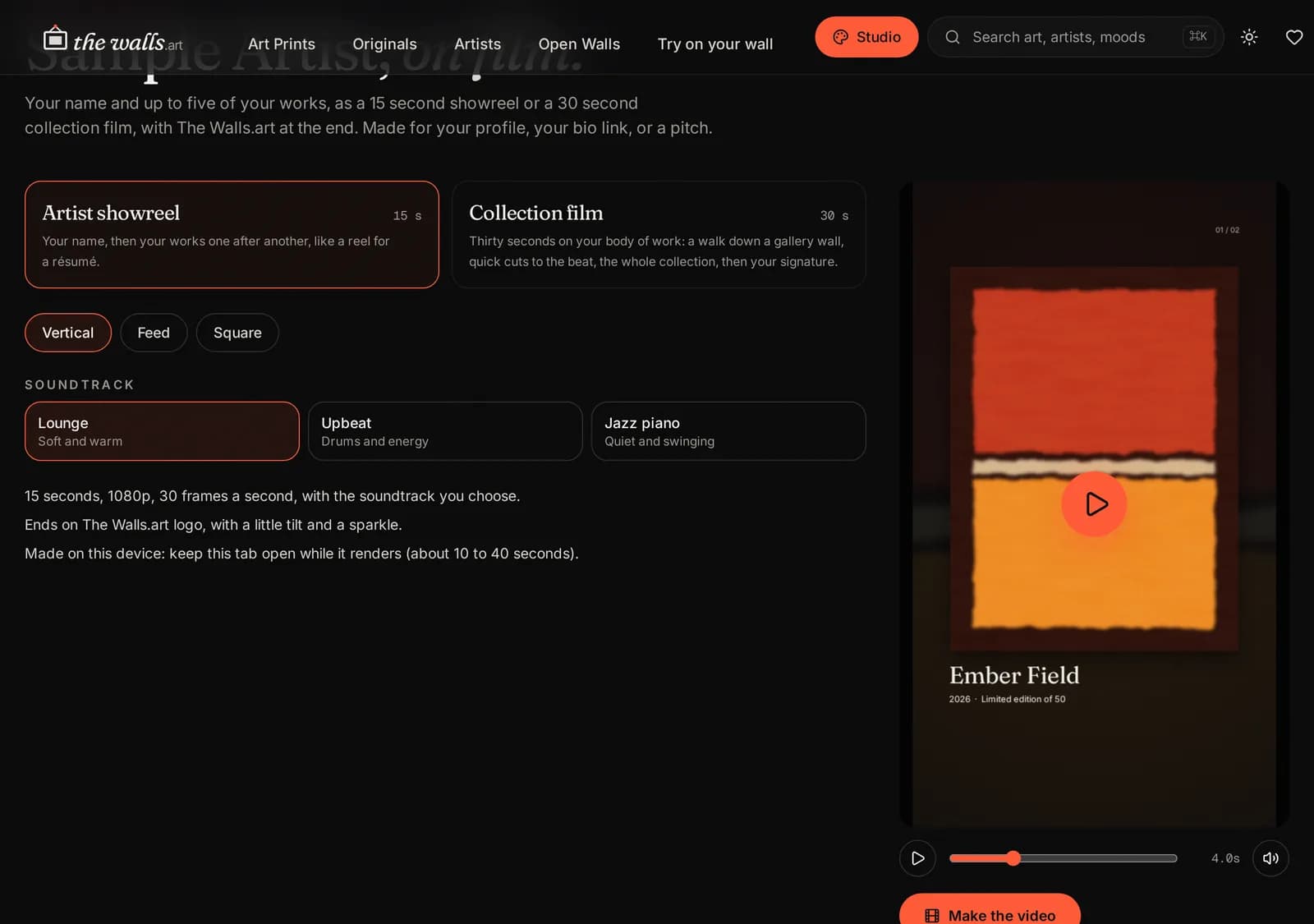
- Choose a video, like Reveal, Gallery or Palette, and a soundtrack: Lounge, Upbeat or Jazz piano. Press play on the preview to watch it.
- Press Make the video. Keep the tab open while it is made: it takes about a minute.
- Press Download MP4 (or Save or share on a phone).
Promo videos
Press Promo for four short vertical videos made to bring people to your page: The Debut, Which Room?, Zoom Reveal and Frame Battle.
Pick one, choose a frame and the rooms, and change the words if you like (leave a line empty to use the original). Add your social handle. Then press Make the video and download it.
Some formats have a voice-over. It speaks the original words, so it turns off while you use your own words for those lines.
Your showreel
A showreel puts your name and up to five of your works in one video: a 15 second showreel or a 30 second collection film, ending with The Walls. It is made for your profile, your link in bio or a pitch.
Press Make your showreel in the Works tab. It opens once you have a work on The Walls (curated), and for every Resident Artist.
Why some designs are locked
Works on The Walls (curated), and every work of a Resident Artist, get every design. Other Open Walls works get Gallery wall, Editorial and Just hung in every shape, and the Reveal video with the Lounge soundtrack. The other designs show a lock.
Until the store opens for buying, every work also gets the Opening soon designs: three posts, three print pieces, a video and a Promo video that invite people to preview your work now. They come first in each tab, and leave once buying opens.
To unlock everything, send your best work to The Walls, or become a Resident Artist.
Tips for sharing
- Post the Story and the Post on the same day: one for your followers' feed, one for 24 hours of extra reach.
- Put your artist page link in your bio, so people who like the work can find all of it.
- Bring printed postcards to shows and markets: the QR code takes people to the work.
- Share again when a work sells or when you add a new size.
Pictures show a sample artist. Your studio shows your own name and work.
Questions? Join our artist group
Our Telegram group is where artists get help from The Walls team and from each other. Ask anything, in any language.