Listing on Open Walls
What Open Walls is, the rules and limits, and every step to list your own prints.
12 min read
What is Open Walls?
Open Walls is the open side of The Walls. You list your own work as prints, set your price and send it for review. A person checks every listing before it goes live. We print each order, ship it and pay you your price.
- No license per work: your Artist Agreement already covers every work you list on Open Walls.
- No certification: Open Walls work is shown as listed by the artist. It is not licensed or certified by The Walls, and gets no certificate of authenticity or edition number.
- Open editions only: prints are made to order, with no limit.
Open Walls and The Walls side by side
How Open Walls compares with curated works on The Walls, and with Resident Artists:
Open Walls The Walls (curated) Resident Artist Who can list Every artist who signed Artists we represent Our Resident Artists Agreement Your Artist Agreement covers it A license for each work A license for each work Review A person checks each listing We choose each work We choose each work Editions Open edition only Open, limited or one of one Open, limited or one of one Certificate None Certificate of authenticity Certificate of authenticity Prices A range for each size From $10, no upper limit From $10, no upper limit Commission 30% 25% 22% Listing limits 3 a day, 10 a week None None How many works you can send
You can send up to 3 works a day and 10 works a week for review. A work counts when you send it. A work we refuse still counts.
- A work sent back for a change does not count again when you resend it.
- Your own limits are shown in the Open Walls tab.
- Resident Artists have no limits.
Before you start
- You have signed the Artist Agreement, with your details saved.
- You have the full resolution file of your work: the biggest you have. JPEG, PNG, TIFF or WebP, up to 250 MB.
- The work is yours. No one else's art, characters, logos or likeness.
Bigger files print bigger. As a guide, a print 24 inches (60 cm) long needs about 4,800 pixels on that side to look sharp.
Start a listing
In the studio, press List on Open Walls (in Works) or List a work (in the Open Walls tab). Then choose:
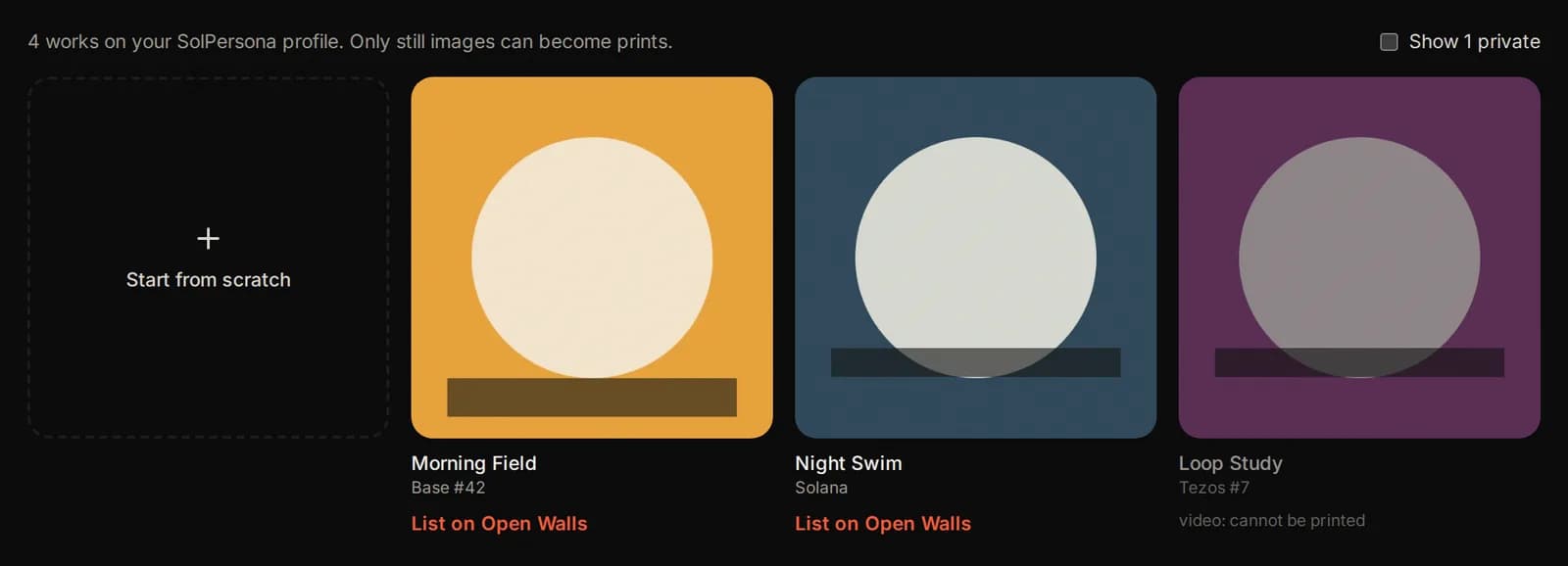
- A work from your SolPersona: press List on Open Walls under it. Its title, description and year are filled in for you.
- Start from scratch: an empty listing, for a work that is not on SolPersona.
Only still images can become prints. Videos show as “cannot be printed”. Tick Show private to see your private SolPersona works.
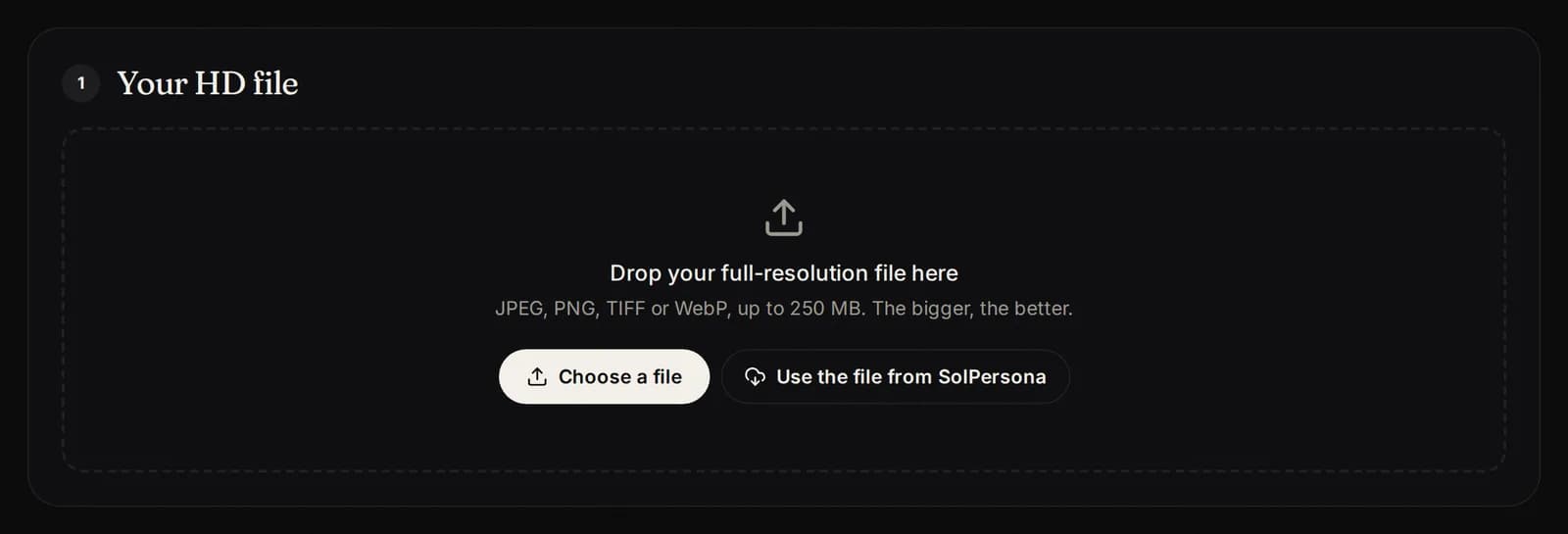
1. Your HD file
Drop your file in the box, or press Choose a file. If you started from SolPersona, you can press Use the file from SolPersona instead.
If SolPersona has not stored your work yet, its file comes from IPFS or objkt, which can be slow. If it fails, try again in a few minutes or upload the file from your computer.
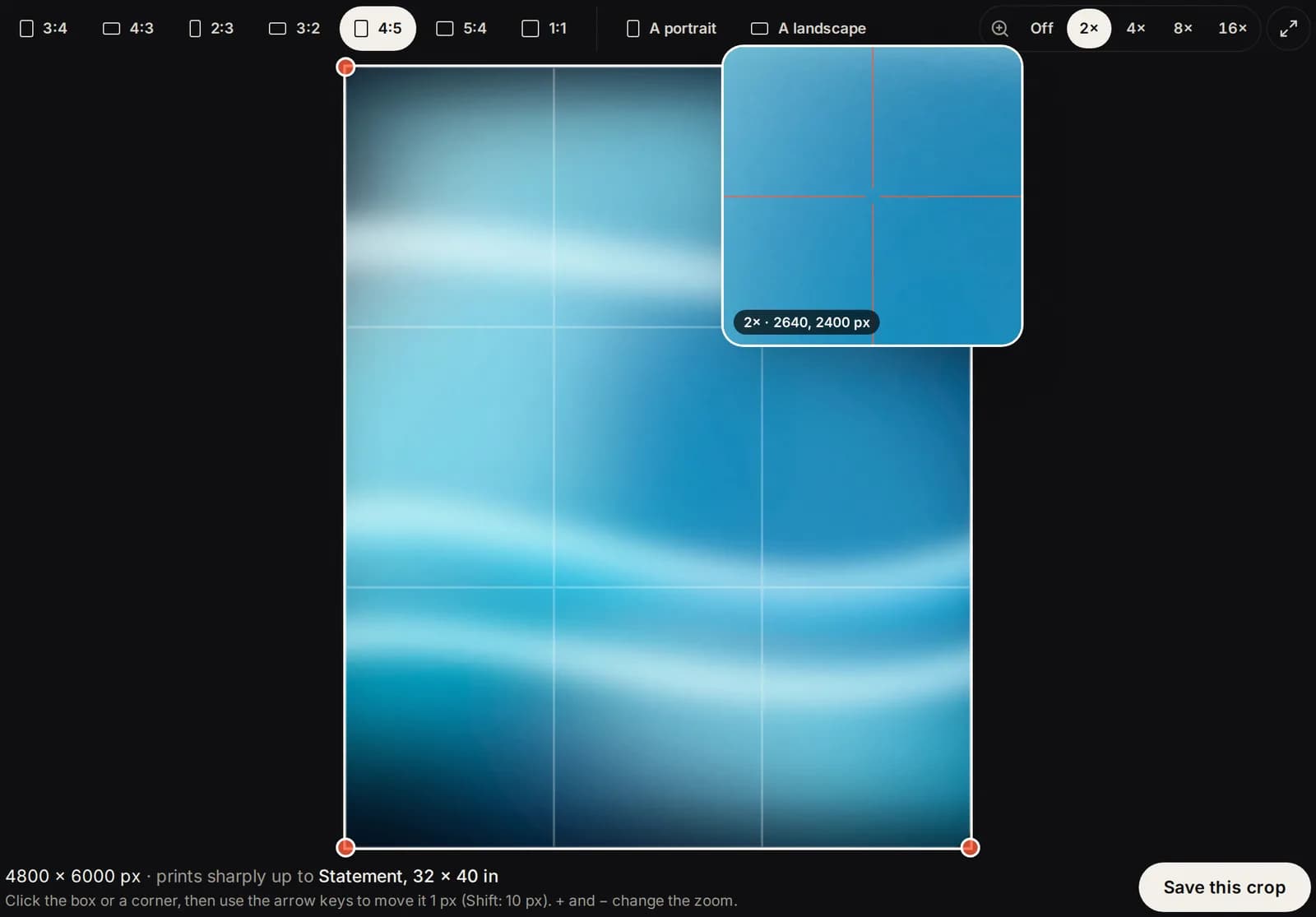
Crop it to a print shape
Prints come in fixed shapes. Pick the one closest to your work: 3:4, 2:3, 4:5, 1:1 (square), or A (the shape of A4 to A0 paper), each portrait or landscape.
Drag the frame to move it and drag its corners to resize it. Pick a Zoom (2× or more) and hover or touch the image to check the details through a loupe. Press Save this crop when it looks right.
Crop to an A shape if you want your work to fill A4 to A0 sheets edge to edge. Other shapes print on A sizes inside a white border, never cropped.
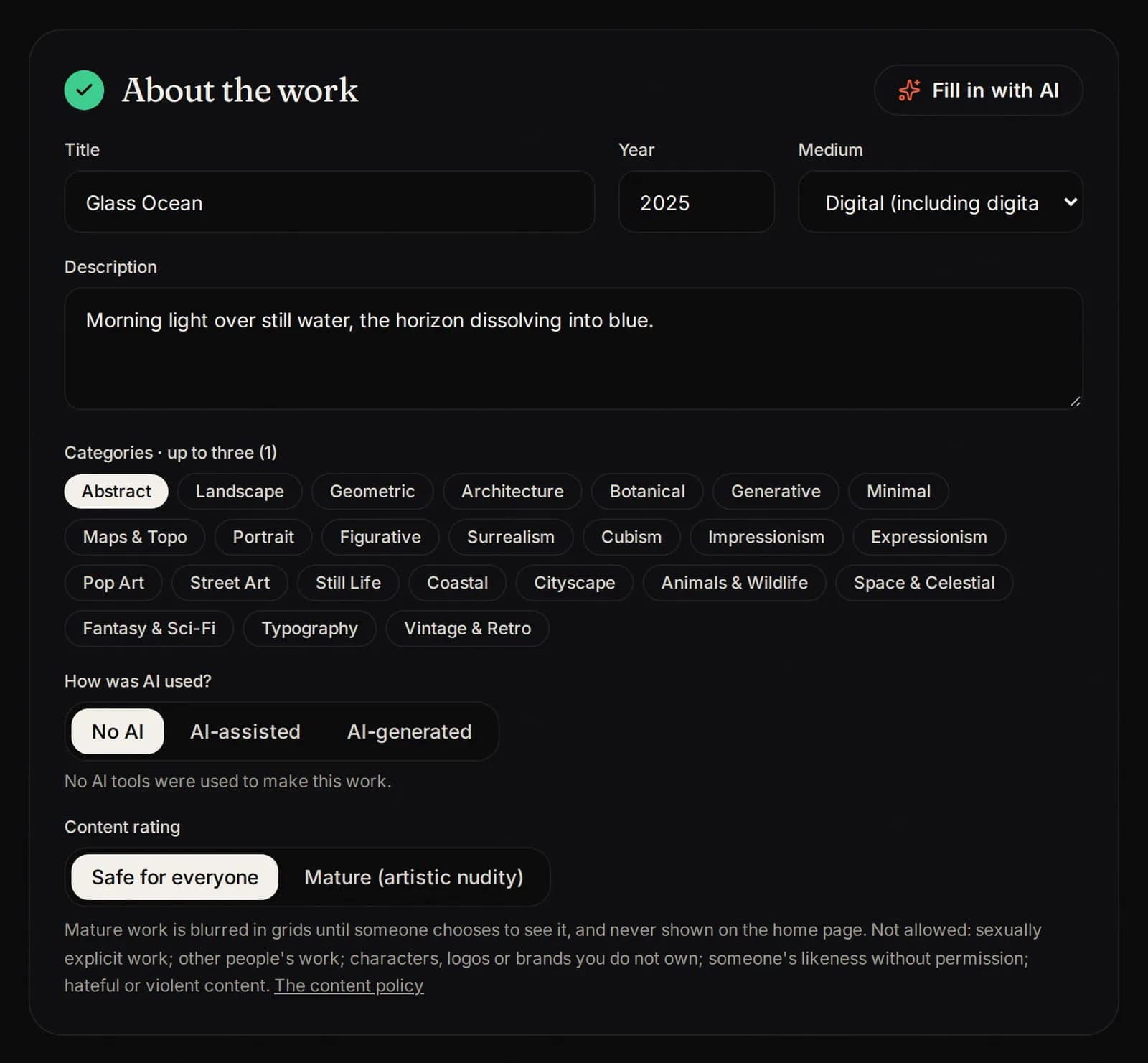
2. About the work
- Title, year and medium (for example digital, painting, photography).
- Description: a few lines about the work.
- Categories: up to three, so buyers can find it.
- Colors: picked from your image; change them if you like.
- AI use: say if and how AI was used. AI is welcome but must always be declared.
- Content rating: Safe for everyone or Mature (artistic nudity, blurred until a buyer chooses to see it).
Fill in with AI can suggest a title, description and categories from your image. Always check what it writes.
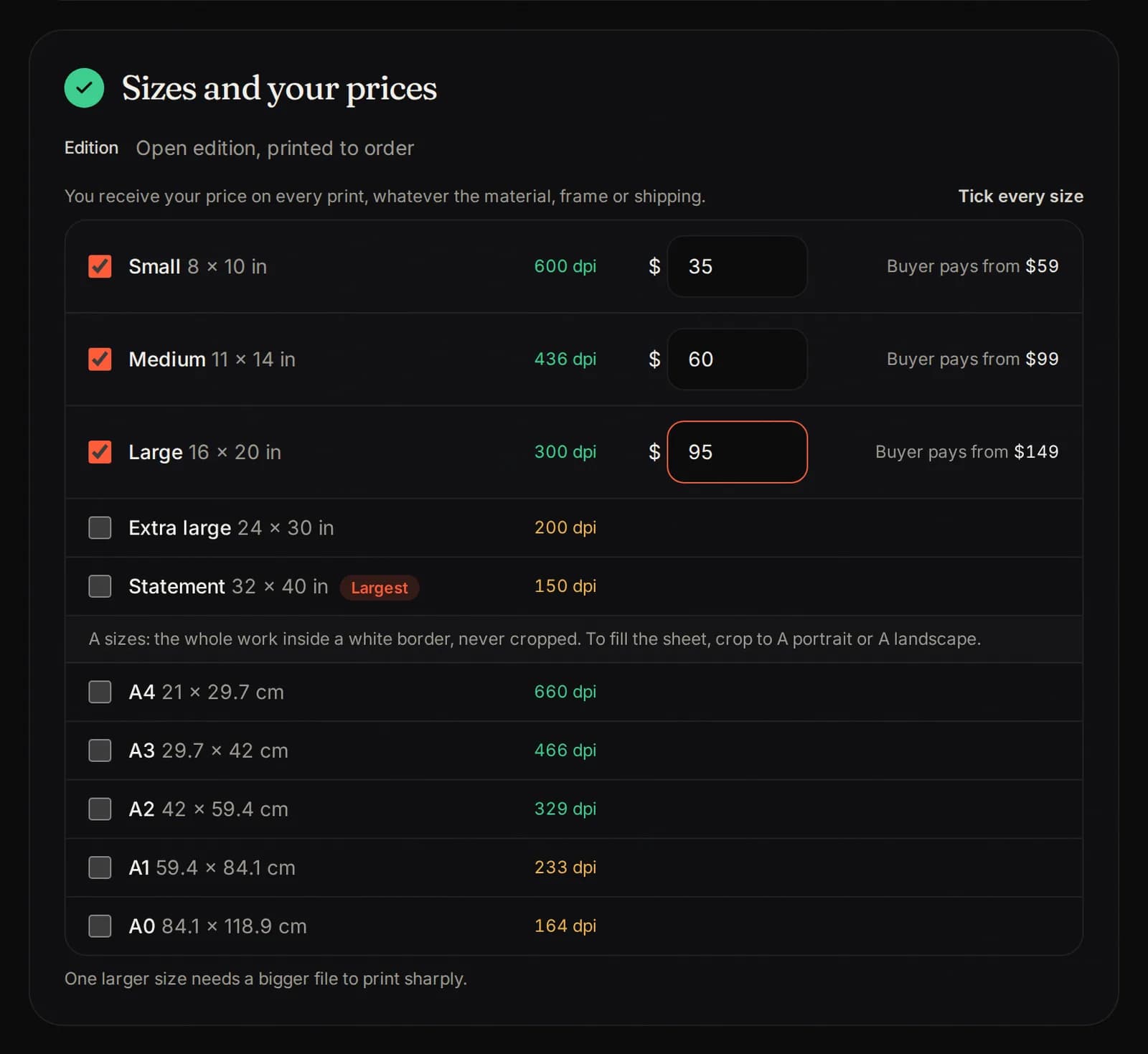
3. Sizes and your prices
Only the sizes your file prints sharply appear. Tick each size you want to sell and type your price for it. You receive that price on every print, whatever the material, frame or shipping. Buyer pays from shows what a buyer would pay.
On Open Walls, each size has a lowest and highest price:
Size Lowest price Highest price Small (S) $10 $500 Medium (M) $15 $750 Large (L) $20 $1,000 Extra large (XL) $30 $1,500 Statement (XXL) $40 $2,000 Grand (XXXL) $50 $3,000 A4 $10 $500 A3 $15 $750 A2 $20 $1,000 A1 $30 $1,500 A0 $40 $2,000 Your price is what you receive. Printing and our commission are added on top for the buyer.
Small sizes sell most often. A good start is to offer three or four sizes.
4. What buyers can order
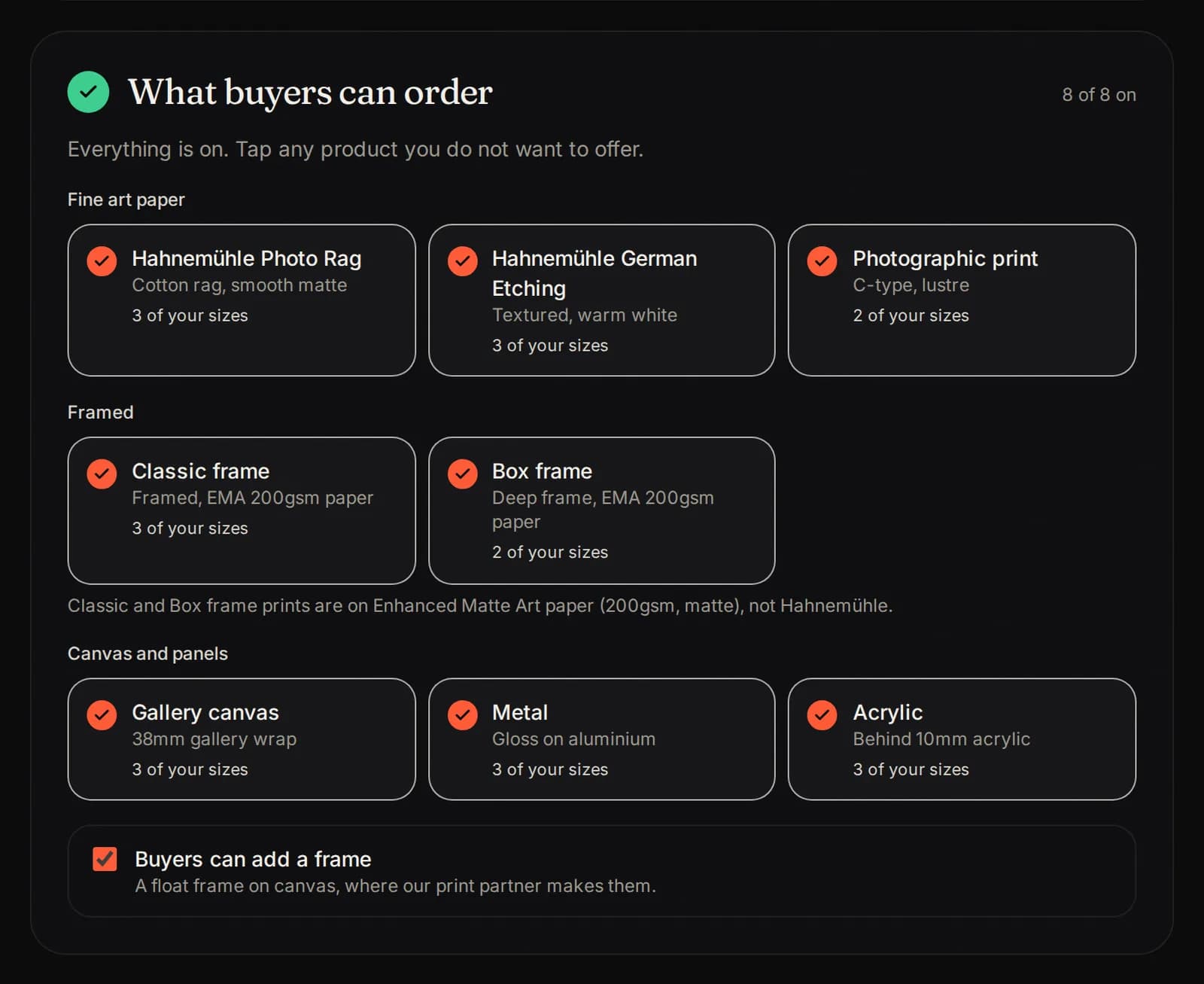
Every product is on to start: fine art papers, canvas, metal and framed prints. Tap a product to turn it off if you do not want to offer it. Each product shows how many of your sizes it is made in.
Keep at least one product on. Buyers can add a frame lets them choose a frame for your paper prints.
5. Confirm and send
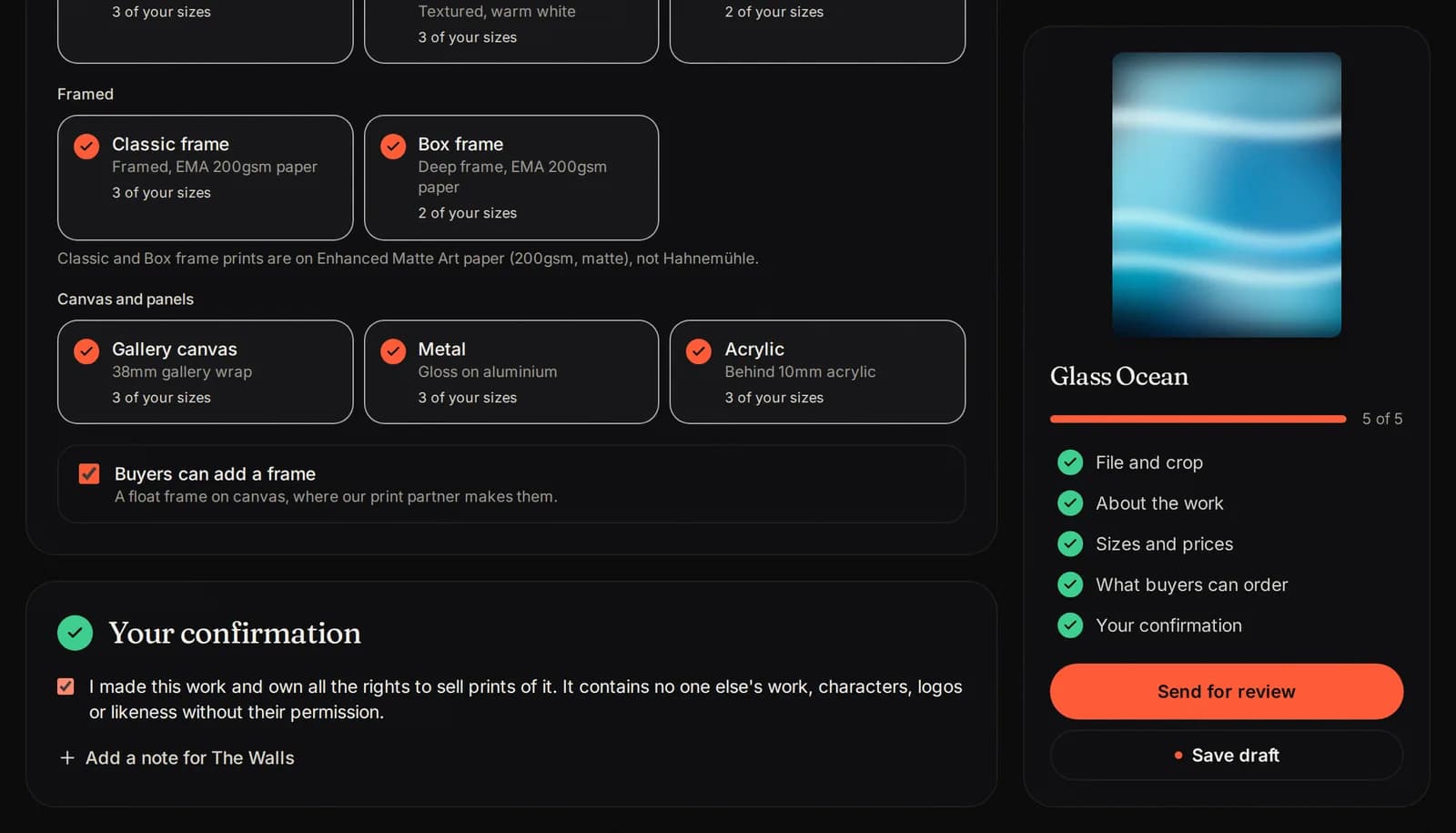
Tick the box to confirm you made the work and own the rights to sell prints of it. Add a note for us if you like. The list on the right shows what is still missing.
Press Send for review. You can also press Save draft and come back later.
Review
Our automatic checks look at your listing first, then a person reviews it. You get an email when it is decided. The bar at the top shows where it stands:
- Live: it is on the store.
- Changes needed: read why, fix it and press Send for review again.
- Rejected: read why. If our automatic checks refused it, you can press Ask a person to look at it.

If The Walls would like it
Sometimes we love a listing so much that we would like to represent it on The Walls, our curated side. Then Needs you shows The Walls would like to represent “...”, with a note from us. You choose:
- Yes, send it to The Walls: it becomes a request to The Walls with your file and details already filled in. Choose the edition, tick the confirmation and press Send for review.
- No thanks, list it on Open Walls: it goes live on Open Walls straight away. We already approved it.
Once it is live
- It shows on the store and on your artist page, in the Open Walls part.
- Open its Share tools to post it on social media.
- Open Walls earnings can be paid 30 days after the buyer receives the print.
- You can take a listing down any time. Orders already paid are still printed.
The rules in short
The full rules are in the Content policy and Originality and AI.
- Only your own work. No copies, copyminting, traced or lightly edited versions of anyone else's work.
- No characters, logos, brands or a person's likeness without permission.
- No sexually explicit work. Artistic nudity must be rated Mature.
- Always declare AI.
- Copied work gets strikes. After repeated strikes, an Open Walls account is suspended.
Pictures show a sample artist. Your studio shows your own name and work.
Questions? Join our artist group
Our Telegram group is where artists get help from The Walls team and from each other. Ask anything, in any language.