Getting started
Sign in for the first time, agree to our pages and sign the Artist Agreement.
15 min read
Welcome to The Walls
We are happy to have you. This guide takes you from your acceptance email to your own studio, one step at a time. It takes about 15 minutes.
Have these ready before you start:
- Your SolPersona account: the same one you used to apply.
- Your email, to receive a signing code if you sign by email.
- Your wallet (optional), if you would like to sign with it instead of email.
Join our artist group on Telegram
Please join our Telegram group before you start. It is where we answer questions, share news for artists and help you if anything goes wrong.
Open the studio
The studio is your private space on The Walls. Open it here: https://thewalls.art/studio. The button in your acceptance email opens it too.
Press Sign in with SolPersona.
Save the studio link in your bookmarks. You will use it often.
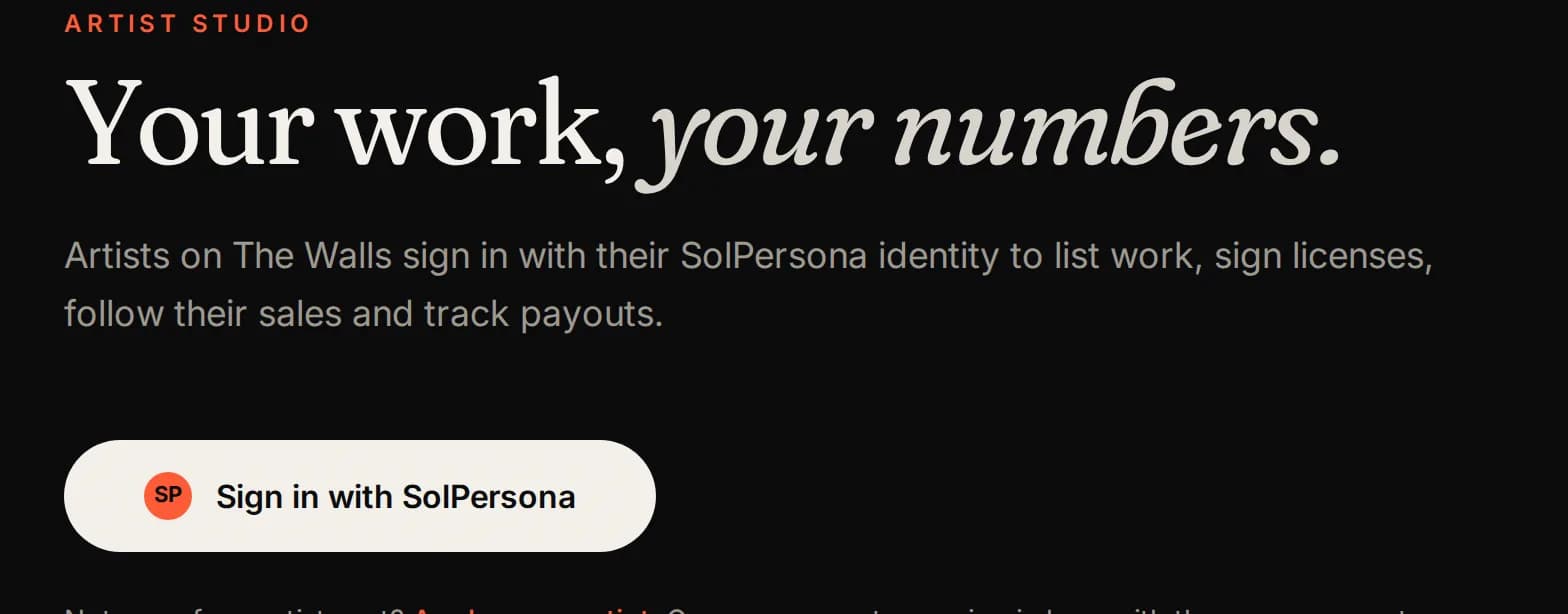
Sign in with SolPersona
SolPersona is the account that shows who you are as an artist. You do not make a new account on The Walls: you sign in with SolPersona.
- SolPersona opens. Sign in there the way you always do.
- SolPersona asks if The Walls may see your profile, your works and your verified wallets. Press allow.
- You come back to The Walls, signed in.
Use the same SolPersona account you applied with. Another account will see the message “not invited”.
The welcome page
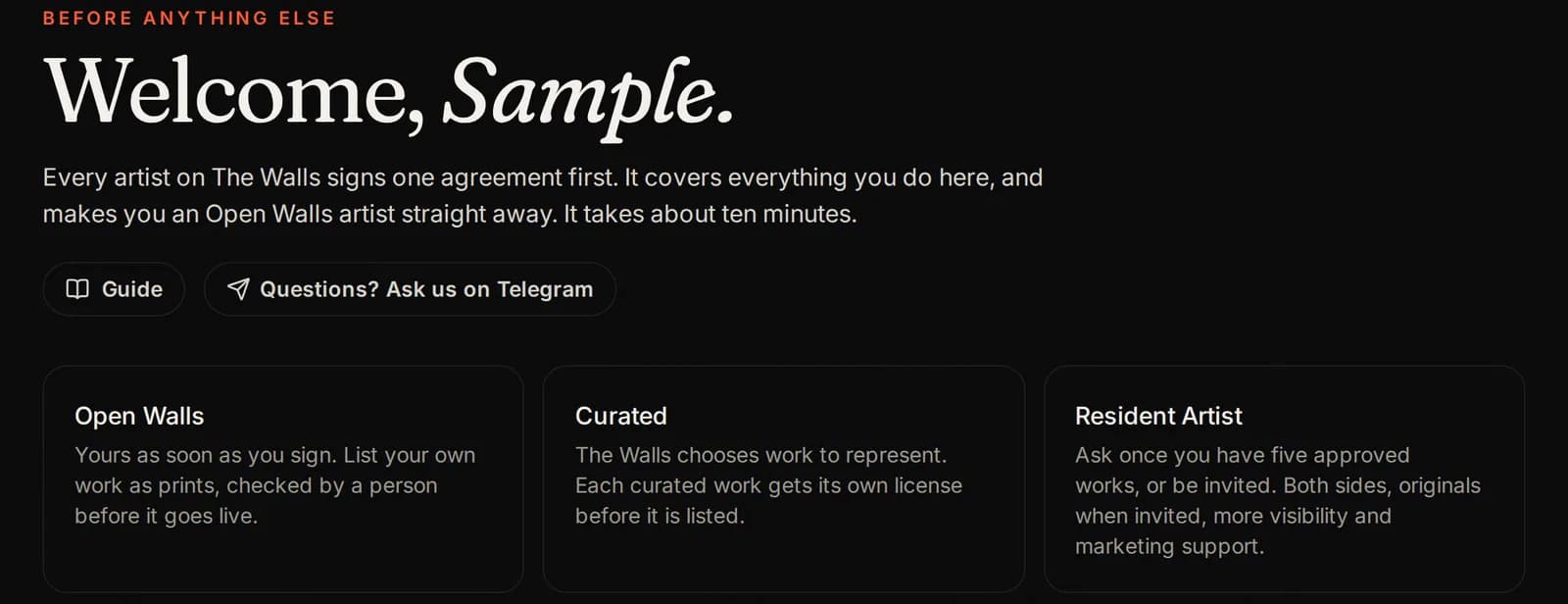
The first time you sign in, you land on the welcome page. It shows the three ways to sell on The Walls:
- Open Walls: yours as soon as you sign. List your own work as prints. A person checks each one before it goes live.
- Curated (The Walls): we choose works to represent. Each one gets its own license.
- Resident Artist: ask once you have 5 approved works, or be invited. Both sides, originals when we invite you, more visibility and marketing.
Read the box about copied work. We have zero tolerance for it: only list work you made yourself or hold every right to sell. AI is allowed, and must always be declared.
Step 1: read and agree to five pages
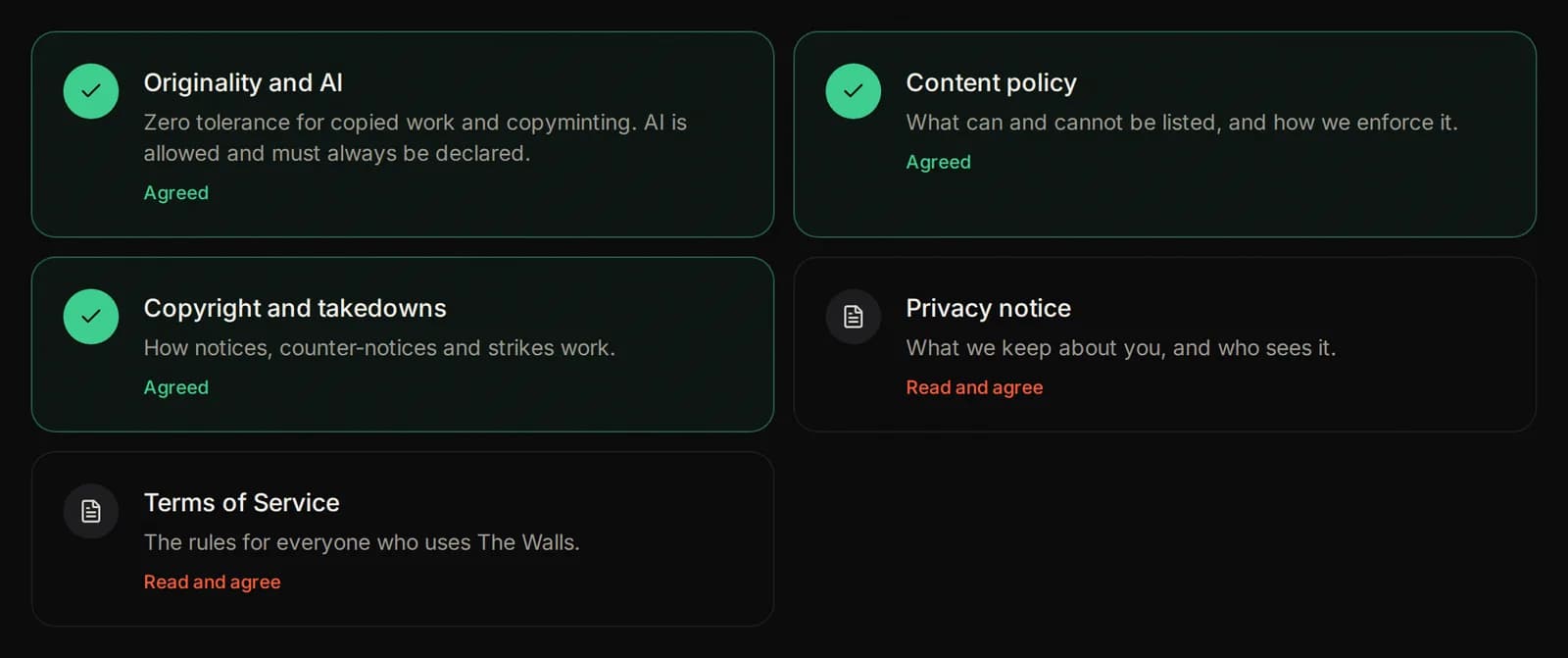
There are five short pages to agree to, one by one:
- Originality and AI: no copied work, and always say when you used AI.
- Content policy: what can and cannot be listed.
- Copyright and takedowns: what happens if someone says a work is theirs.
- Privacy notice: what we keep about you, and who sees it.
- Terms of Service: the rules for everyone on The Walls.
Each card turns green and says Agreed when it is done.
How to agree to a page
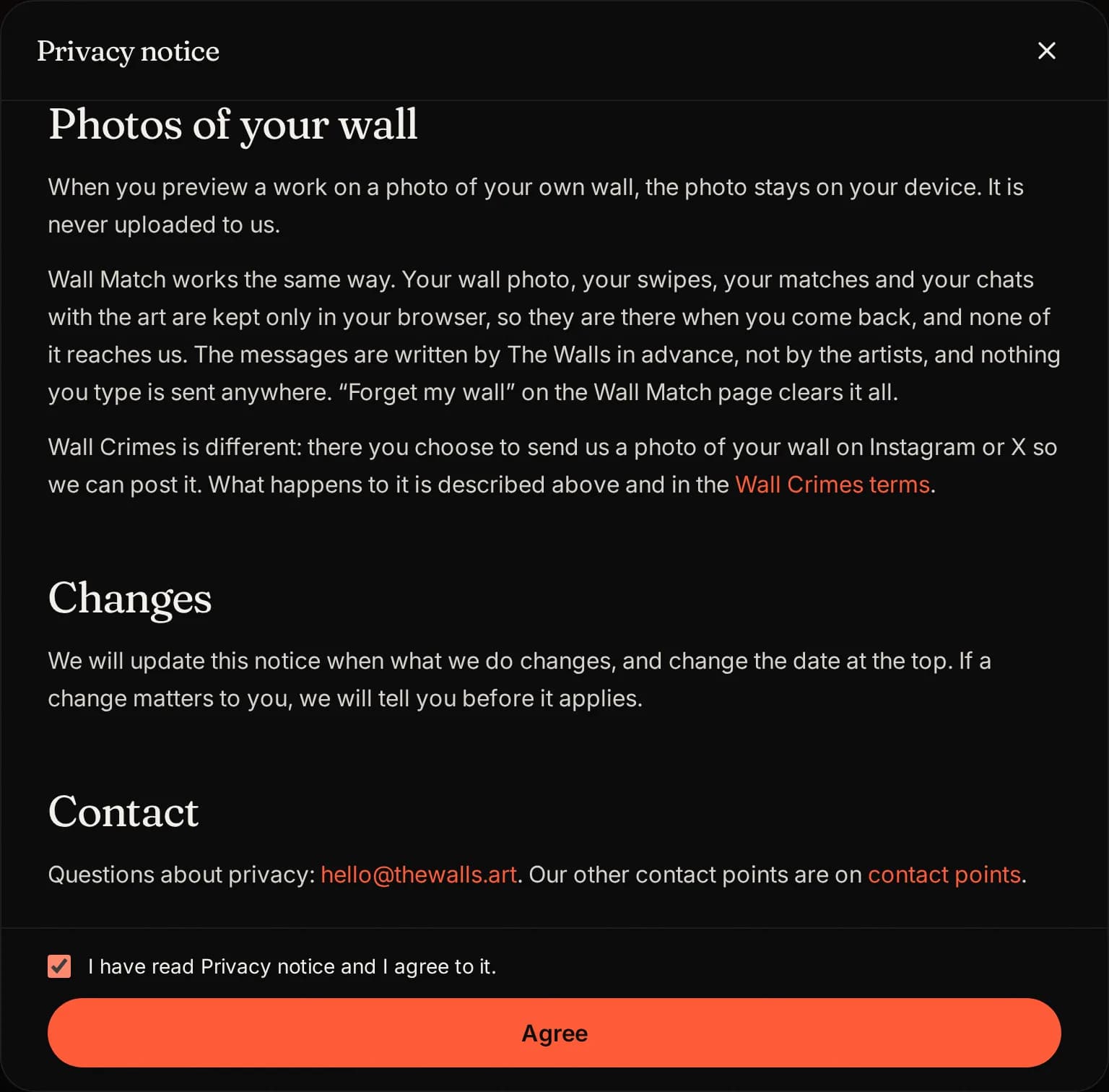
Agreeing to each page works the same way:
- Tap the card. The page opens in a window.
- Scroll all the way to the end. The tick box only unlocks at the end.
- Tick I have read ... and I agree to it.
- Press Agree. The window closes and the card turns green.
Step 2: your private details
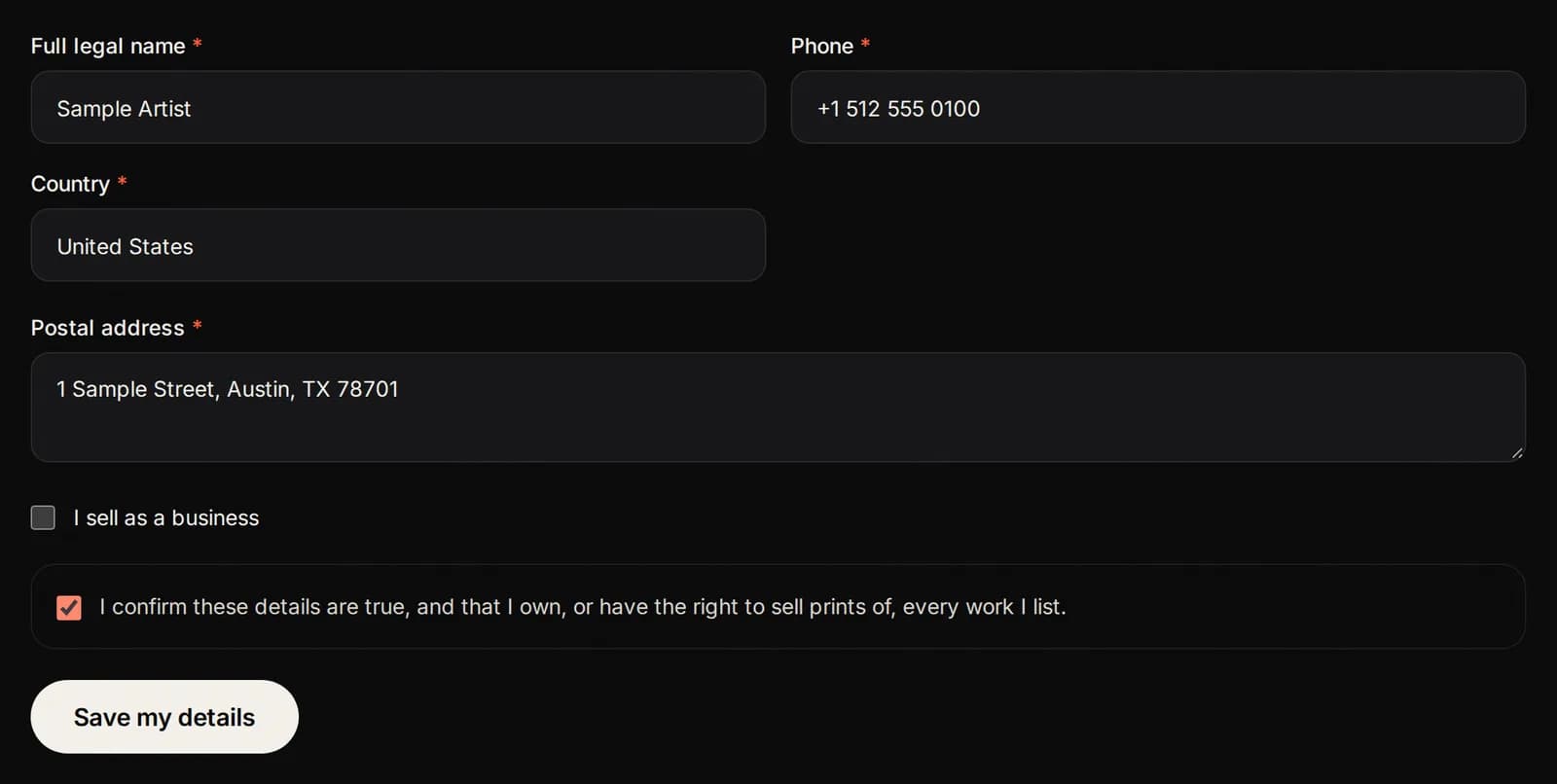
Fill in your full legal name, phone, country and postal address. If you sell as a business, tick the box and add the business name.
Tick the box to confirm the details are true, then press Save my details.
Buyers never see these details. We use them to pay you, and only when the law requires it, to answer a notice, a court or a public authority.
Step 3: read the Artist Agreement
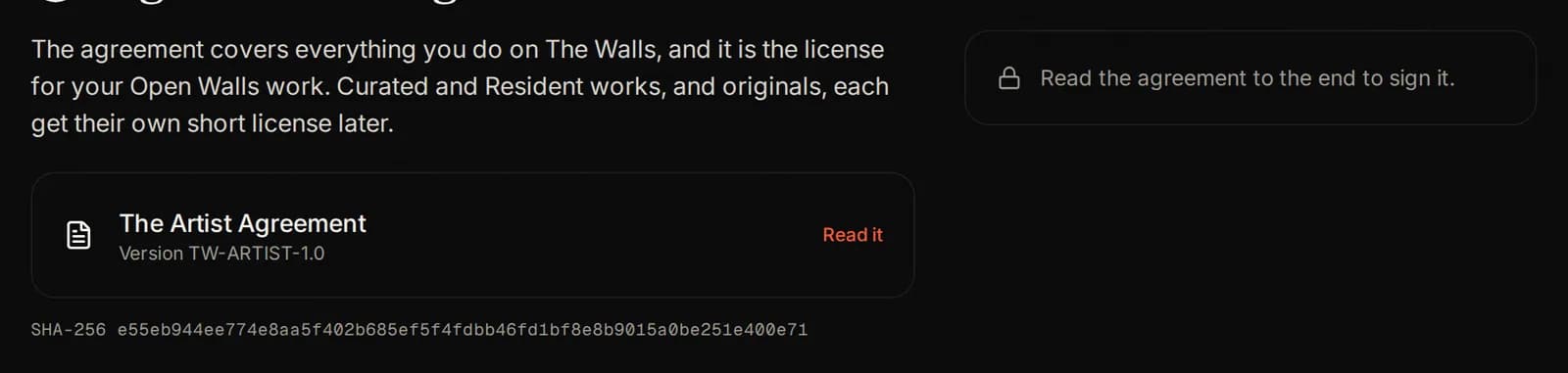
The Artist Agreement is the one agreement every artist signs. It covers everything you do on The Walls, and it is the license for all your Open Walls work.
Press Read it, scroll to the end, and close it. Then the signing box opens next to it.
Curated works, Resident Artist work and originals each get their own short agreement later. This one comes first.
Two ways to sign
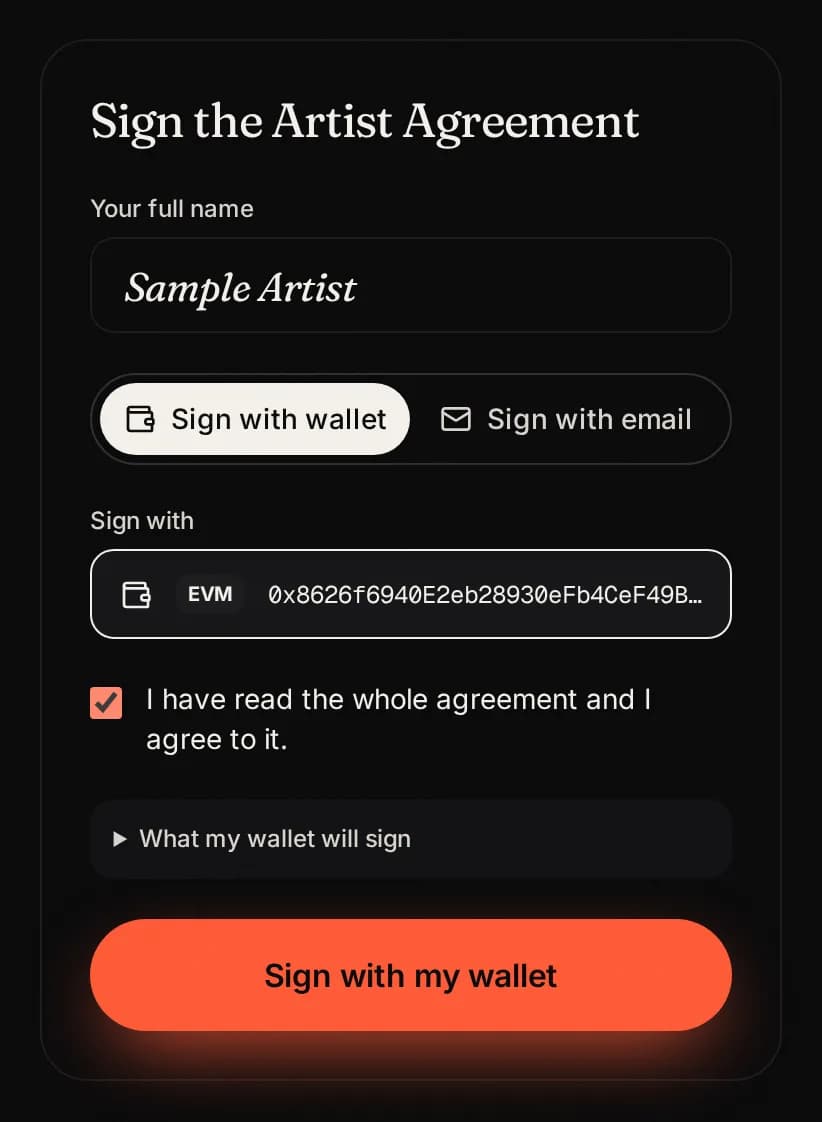
Type your full name first. Then choose how to sign:
- Wallet: sign with a wallet you verified on SolPersona. Free, no gas, nothing moves.
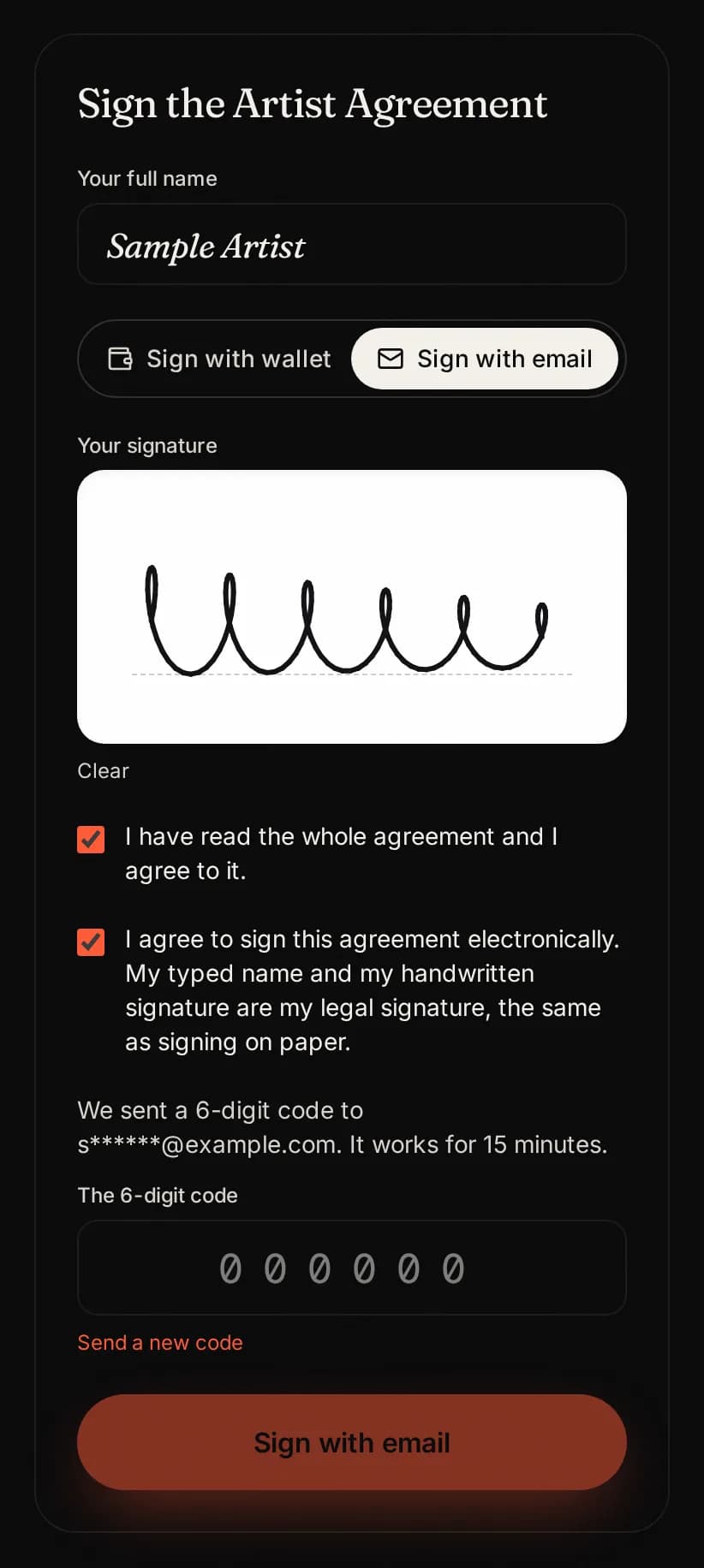
- Email: draw your signature and type a 6 digit code we email you.
Both are equally valid. Pick the one you find easiest.
Sign with your wallet
- Press Sign with wallet at the top.
- Choose one of your wallets. Only wallets verified on your SolPersona profile are shown (Ethereum or Solana).
- Tick I have read the whole agreement and I agree to it.
- Press Sign with my wallet and approve the message in your wallet.
This is a free signature, not a transaction. It costs no gas and moves no funds. Tezos wallets cannot sign yet: use email, or add an Ethereum or Solana wallet to SolPersona and sign in again.
Sign by email
- Press Sign with email at the top.
- Draw your signature in the box with your finger or mouse. Press Clear to try again.
- Tick both boxes: that you read the agreement, and that you agree to sign electronically.
- Press Email me a code. Check your inbox (and spam) for a 6 digit code.
- Type the code and press Sign with email.
A code works for 15 minutes. You can ask for 5 codes every 15 minutes. If you see “We have sent several codes”, wait a few minutes and use the newest code.
You are in!
When you have signed, the studio opens. A short tour shows you around the first time. You can take it again any time with Take the tour.
What to do next:
- Read Your studio to learn every button.
- List your first work on Open Walls: the Open Walls guide.
- Set up your profile and draw your signature.
If something goes wrong
- “Not invited”: you signed in with a different SolPersona account. Sign out of SolPersona and use the one you applied with.
- No email on file: sign out of the studio and sign in again with SolPersona, so it can share your email.
- My wallet is not listed: verify it on your SolPersona profile, then sign out and in again.
- “Too many codes”: wait 15 minutes, then ask for one new code.
- Still stuck? Ask us in Telegram. We are happy to help.
Pictures show a sample artist. Your studio shows your own name and work.
Questions? Join our artist group
Our Telegram group is where artists get help from The Walls team and from each other. Ask anything, in any language.